16bit Histogram
 AACO
AACO ACR
ACR Auto IT8 Calibration
 Batch Scanning
 Clone-Tool
 ColorServer
 Descreening
 Expert Mode
 ExpressScan
 Focus Control
 Frame Detection
 GANE
GANE GCC
GCC HDRiRAW
 Help Videos
 Image Automatic
 Image to Web
 iSRD
iSRD JobManager
 JobMonitor
 Kodachrome Mode
 LAB Format
 Multi-Exposure
 Multi-Tasking
 Multiple Densitometer
 NegaFix
 Preview Concept
 PrinTao
 Printer Calibration
 SAC
SAC SC2G
SC2G SCC
SCC SRDx
SRDx USM
USM VLT
VLT WorkflowPilot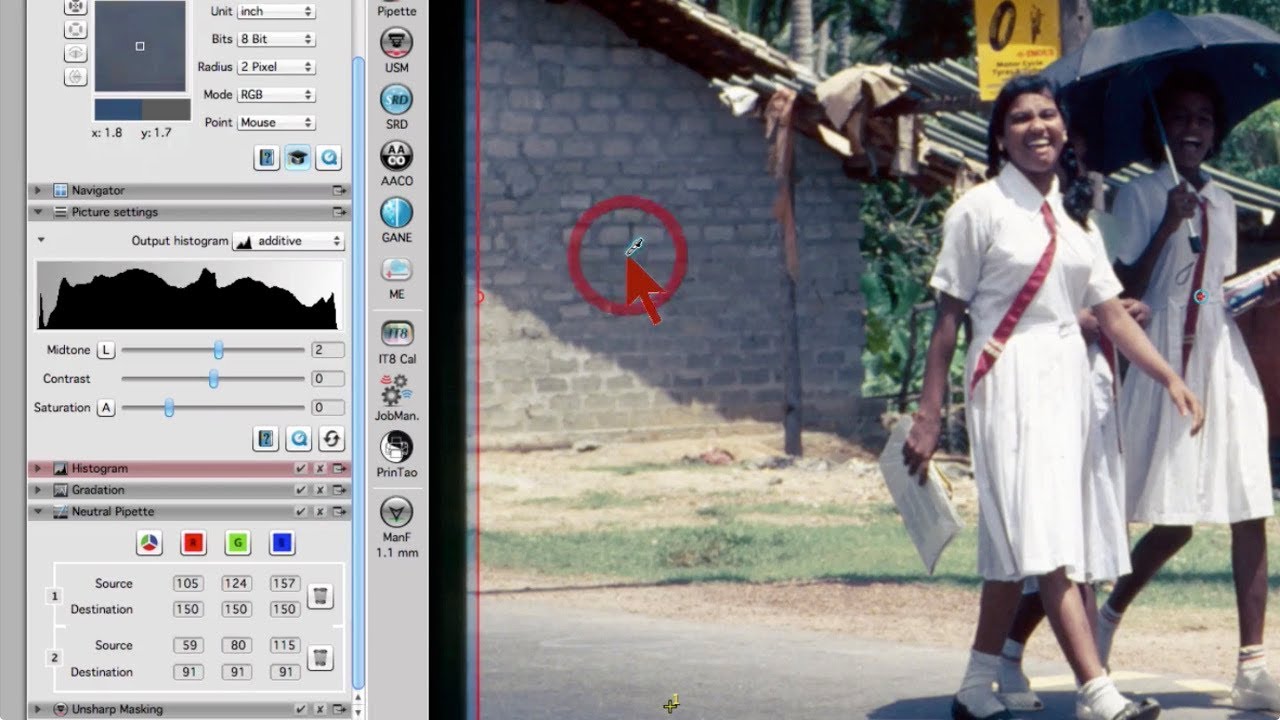

The SilverFast 8 pipette tool is unbeatable. When scanning images with color casts, simply click on an area in the image that should be color neutral and the color cast is gone. This is an ideal tool for me as an absolute beginner of image editing.


Effects to the film material due to chemical processes even to already developed film, fading of photographic prints, different light sources during image acquisition – there are many reasons why images may show color casts. Manual correction is time consuming and can lead to falsified colors. The SilverFast Neutral Pipette is a tool, which makes color cast removal very easy.


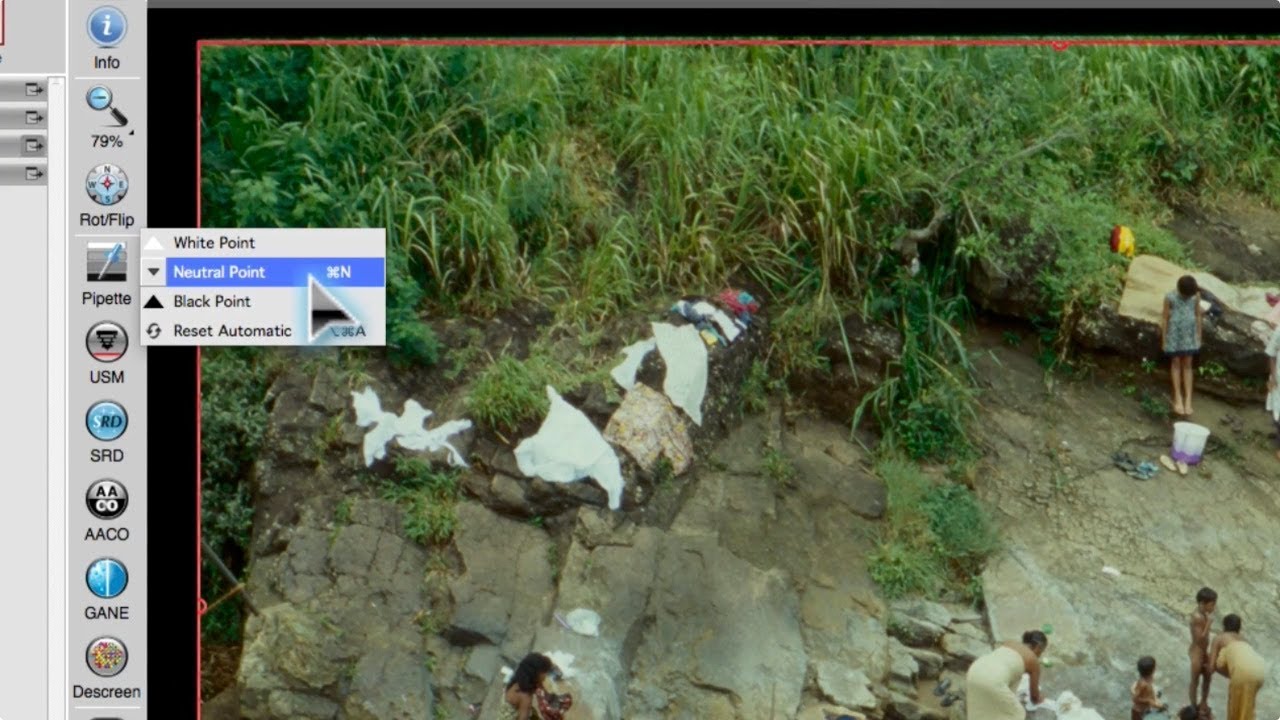
A mouse click on the icon “Pipette” in the vertical toolbar opens a drop-down menu. By selecting the entry “Neutral Point” the mouse cursor turns into an eyedropper. By clicking on a color area of the image, which should appear neutral, the color correction is performed automatically. The exact change in color values at this point can be seen in the tool dialog “Neutral Pipette”. The neutral point can be deleted and set again at any time.
Automatic color cast removal by setting a neutral point
Before/after comparison in RGB or CMY
Up to 4 neutral points with SilverFast Ai Studio

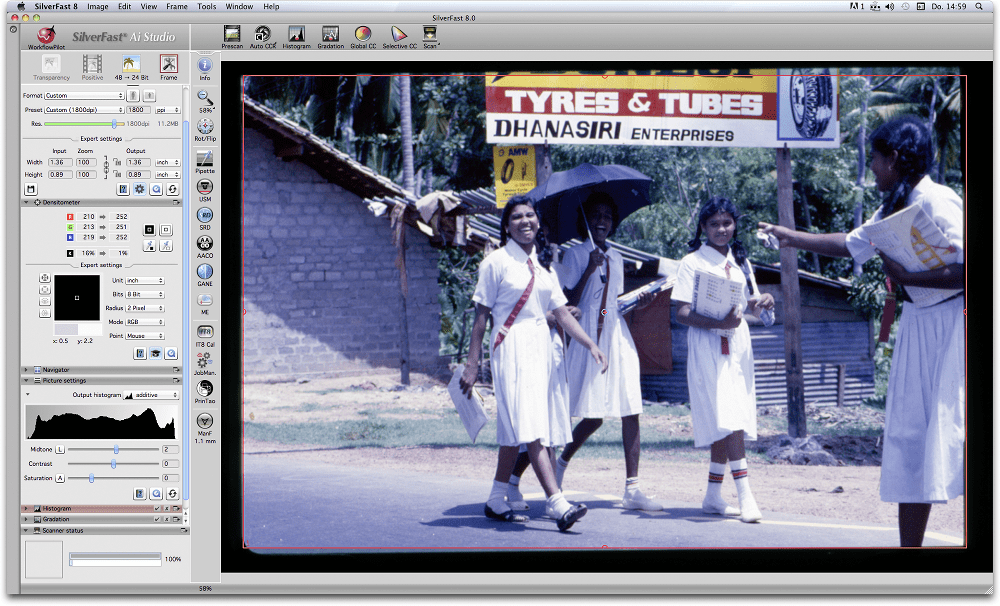
After pre-scanning, the original shows a blue color cast.
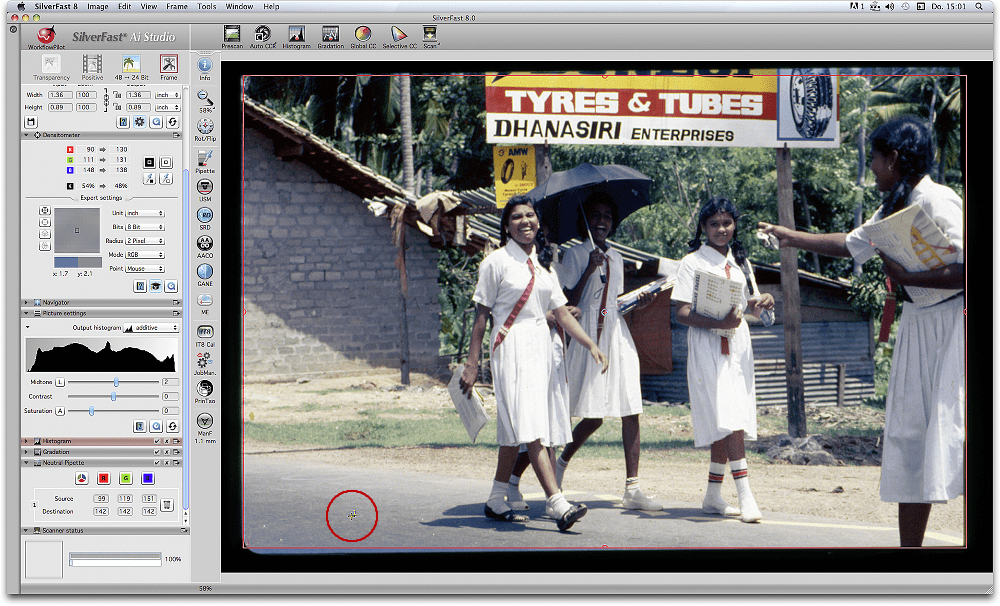
Just setting a neutral point achieves a significant improvement – three mouse clicks, that’s it.
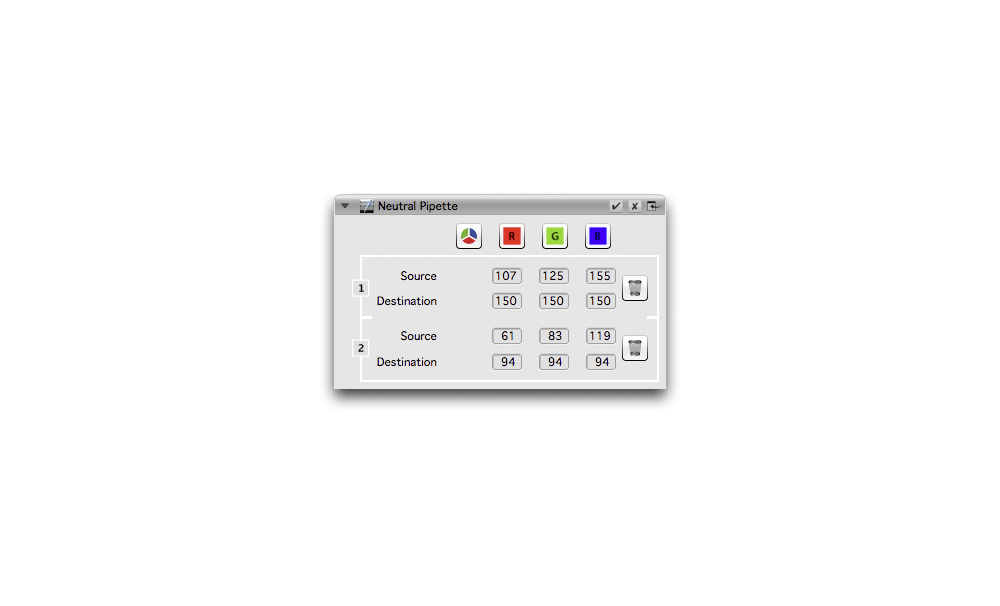
The Neutral Pipette dialog shows before/after RGB values of any neutral point.
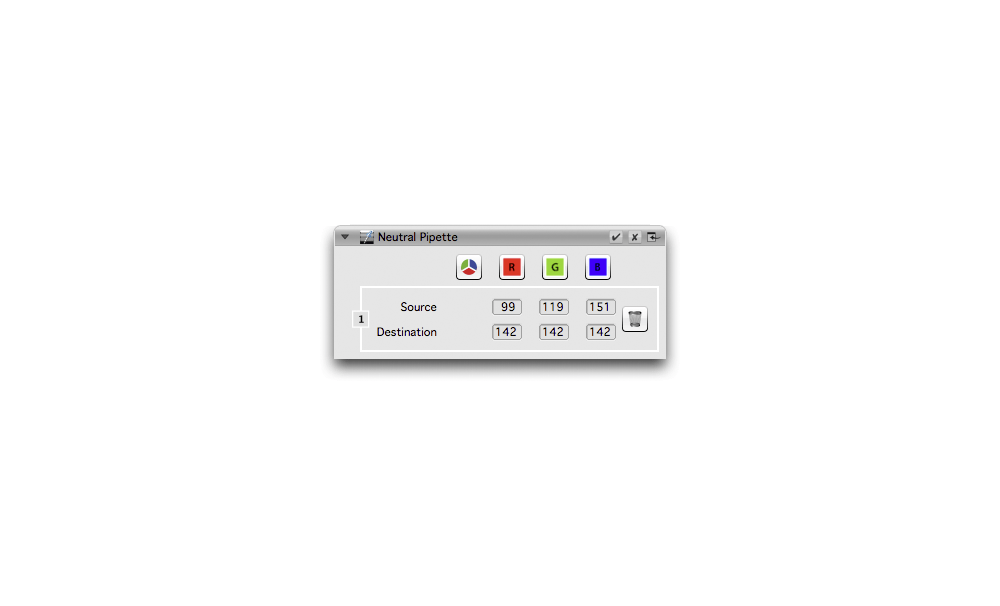
Using SilverFast Ai Studio multiple neutral points can be set, for an even more precise color cast removal.
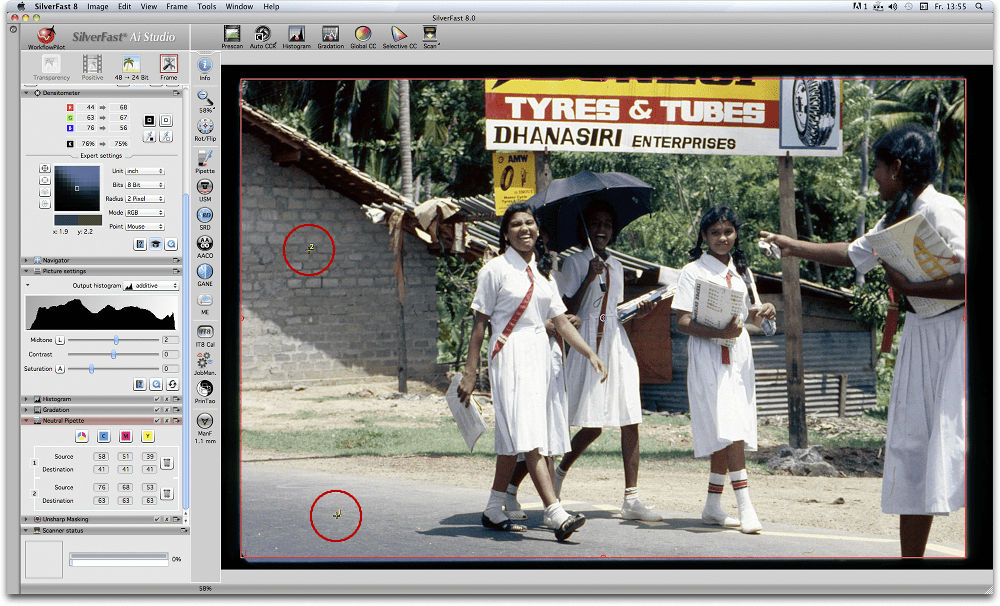
Up to 4 neutral points are possible using SilverFast Ai Studio.
The SilverFast 8 pipette tool is unbeatable. When scanning images with color casts, simply click on an area in the image that should be color neutral and the color cast is gone. This is an ideal tool for me as an absolute beginner of image editing.

The time and effort spent in Photoshop editing and adjusting images produced by the Canon software far exceeds that required to produce superior results with the tools available in SilverFast. Automatic functions like auto-adjust, Color Cast Removal, and Adaptive Color Restoration have greatly simplified processing, and I have found that scans are significantly faster with SilverFast.