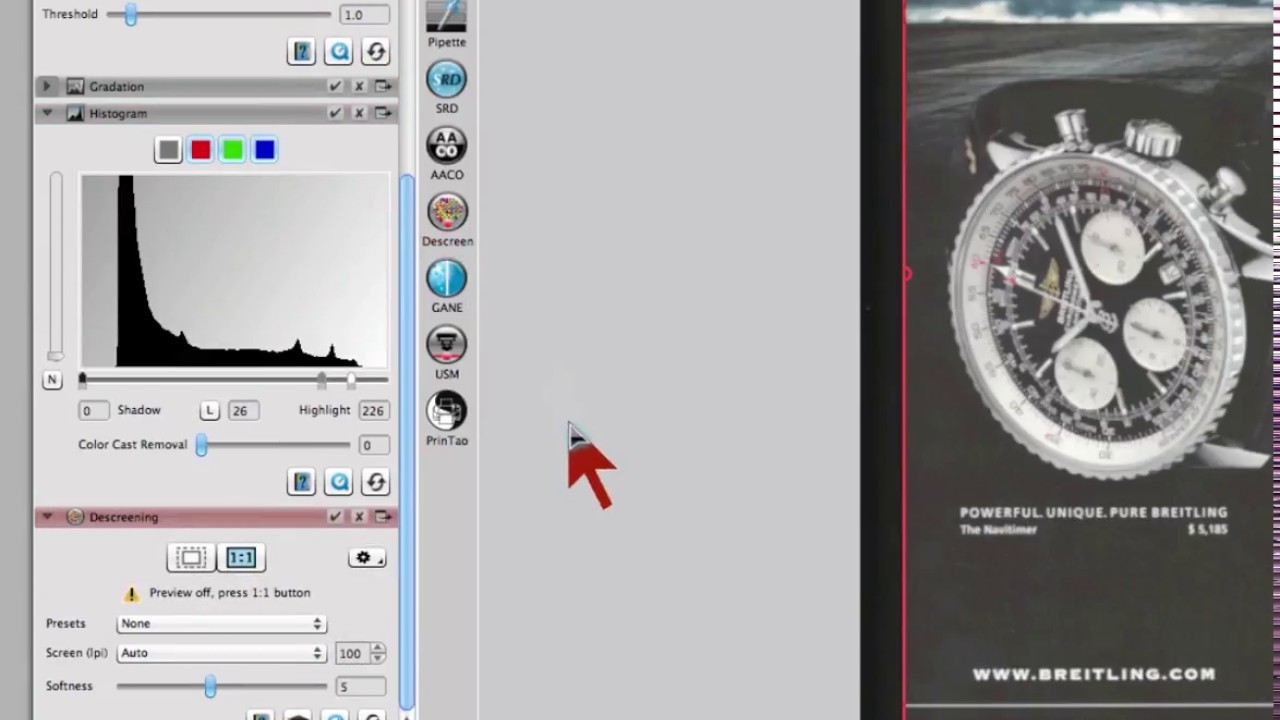
Descreening is always confronted with the challenge to find out which is the proper screen. Whenever trying to descreen in Photoshop customers will most likely sacrifice image details since the available filters and Photoshop’s workflow are not designed specifically for a descreening process.
SilverFast’s ingenious descreening uses a Fourier transformation to analyze the screen and also have the scanner select the best possible resolution for the required descreening process. Descreening will generally cause a slight decrease in sharpness. To compensate for this loss SilverFast has an option to apply Unsharp Masking simultaneously.


 16bit Histogram
 AACO
AACO ACR
ACR Auto IT8 Calibration
 Batch Scanning
 Clone-Tool
 ColorServer
 Descreening
 Expert Mode
 ExpressScan
 Focus Control
 Frame Detection
 GANE
GANE GCC
GCC HDRiRAW
 Help Videos
 Image Automatic
 Image to Web
 iSRD
iSRD JobManager
 JobMonitor
 Kodachrome Mode
 LAB Format
 Multi-Exposure
 Multi-Tasking
 Multiple Densitometer
 NegaFix
 Neutral Pipette
 Preview Concept
 PrinTao
 Printer Calibration
 SAC
SAC SC2G
SC2G SCC
SCC SRDx
SRDx USM
USM VLT
VLT WorkflowPilot