 16bit Histogram
 AACO
AACO ACR
ACR Auto IT8 Calibration
 Batch Scanning
 Clone-Tool
 ColorServer
 Descreening
 Expert Mode
 ExpressScan
 Focus Control
 Frame Detection
 GANE
GANE GCC
GCC HDRiRAW
 Help Videos
 Image Automatic
 Image to Web
 iSRD
iSRD JobManager
 JobMonitor
 Kodachrome Mode
 LAB Format
 Multi-Exposure
 Multi-Tasking
 Multiple Densitometer
 NegaFix
 Neutral Pipette
 Preview Concept
 PrinTao
 Printer Calibration
 SAC
SAC SC2G
SC2G SCC
SCC SRDx
SRDx USM
USM VLT
VLT WorkflowPilot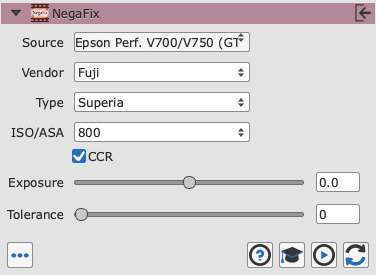

Really beautiful color profiles. […] That makes the job a lot easier. Their profiles are pretty good.


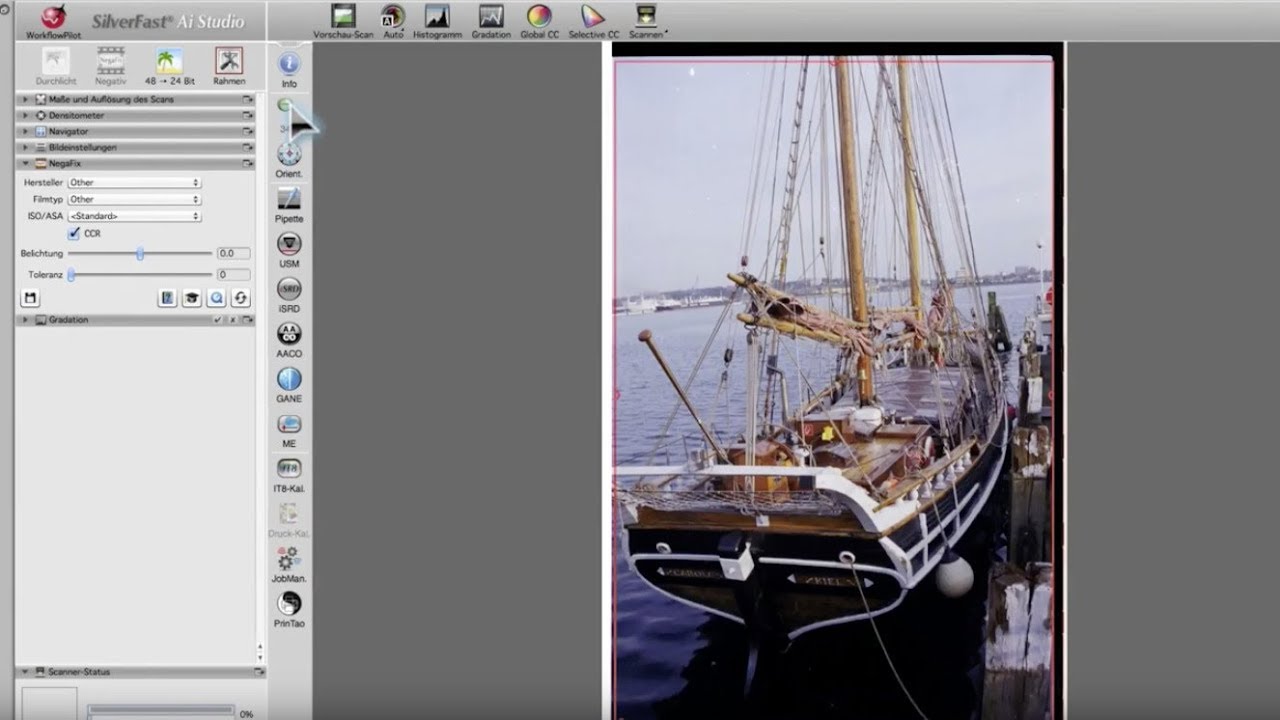
SilverFast NegaFix offers a convenient and professional way to convert your negatives into amazing positives.


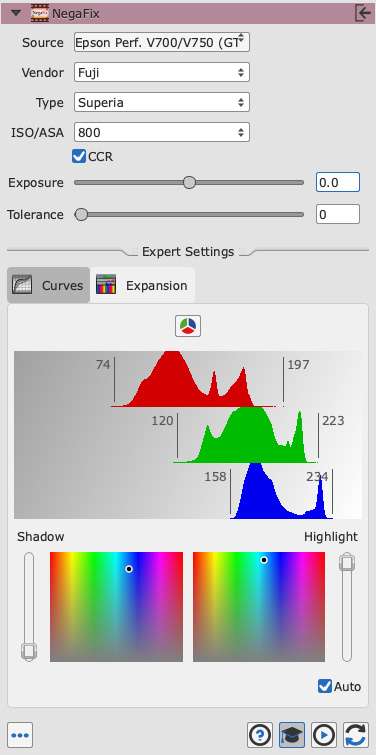
You can choose a profile specific to your film from more than 120 available film profiles, which take the manufacturer, the exact film type and the film’s photoresponse into account. With additional sliders you can adjust several parameters such as the exposure; in the SilverFast Ai Studio 8 expert mode you can alter any alignment in great detail for achieving optimum results. SilverFast’s NegaFix guarantees a unique control when converting negatives to positives.
If there is no NegaFix profile included for your type of film, you can easily create an own profile with SilverFast Ai Studio 8. Just select a similar film’s profile and adjust its film curves.
Profiles:
Notes:
The latest NegaFix profiles for your scanner are automatically installed during the SilverFast installation.
There are a few NegaFix profiles that cannot be offered for some scanners.
The basic NegaFix functions allow even beginners to scan negative film with little effort, but very good results. Choose film manufacturer and type, activate the automatic, eventually switch on color cast removal CCR - and SilverFast will do the rest.
In SilverFast Ai Studio the expert dialog of NegaFix provides extended functionality which allows to control the negative to positive conversion to the finest detail. Use gradation curves, RGB and CMY histogram to adjust the conversion to your very special film. Create your own film profiles or revise existing profiles to your exact requirements.
| SilverFast SE & SE Plus | SilverFast Ai Studio | |
|---|---|---|
| Selection of film manufacturer, type and exposure | ||
| Automatic for exposure and tolerance alignment | ||
| Manual slider controls for exposure and tolerance | ||
| Automatic color cast removal CCR | ||
| Access to gradation curve and histogram | ||
| Revise existing profiles | ||
| Create your own profiles | ||
| Buy | Buy |
The CCR extension is a tool for eliminating color casts. Even if SilverFast doesn't contain an exactly fitting profile for a special film type or if the original shows a slight color cast itself, this feature can produce a convincing result. Color casts are automatically removed during the negative to positive conversion simply by activating the CCR checkbox in the NegaFix dialog.
Really beautiful color profiles. […] That makes the job a lot easier. Their profiles are pretty good.

NegaFix helps my color workflow enormously. I base my choice of film on the final results and not having to spend time to make my portra-scans look like portra is a real lifesaver. NegaFix profiles are adjusted to each individual scanner so you can be confident that you’re getting the right colors and contrast regardless of the hardware you’re using.

NegaFix is, for me, one of the biggest selling points of SilverFast. They have a lot of really great features, but in my book this one is tops.