 16bit Histogram
 AACO
AACO ACR
ACR Auto IT8 Calibration
 Batch Scanning
 Clone-Tool
 ColorServer
 Descreening
 Expert Mode
 ExpressScan
 Focus Control
 Frame Detection
 GANE
GANE GCC
GCC HDRiRAW
 Help Videos
 Image Automatic
 Image to Web
 iSRD
iSRD JobManager
 JobMonitor
 Kodachrome Mode
 LAB Format
 Multi-Exposure
 Multi-Tasking
 Multiple Densitometer
 NegaFix
 Neutral Pipette
 Preview Concept
 PrinTao
 Printer Calibration
 SAC
SAC SC2G
SC2G SCC
SCC SRDx
SRDx USM
USM VLT
VLT WorkflowPilot
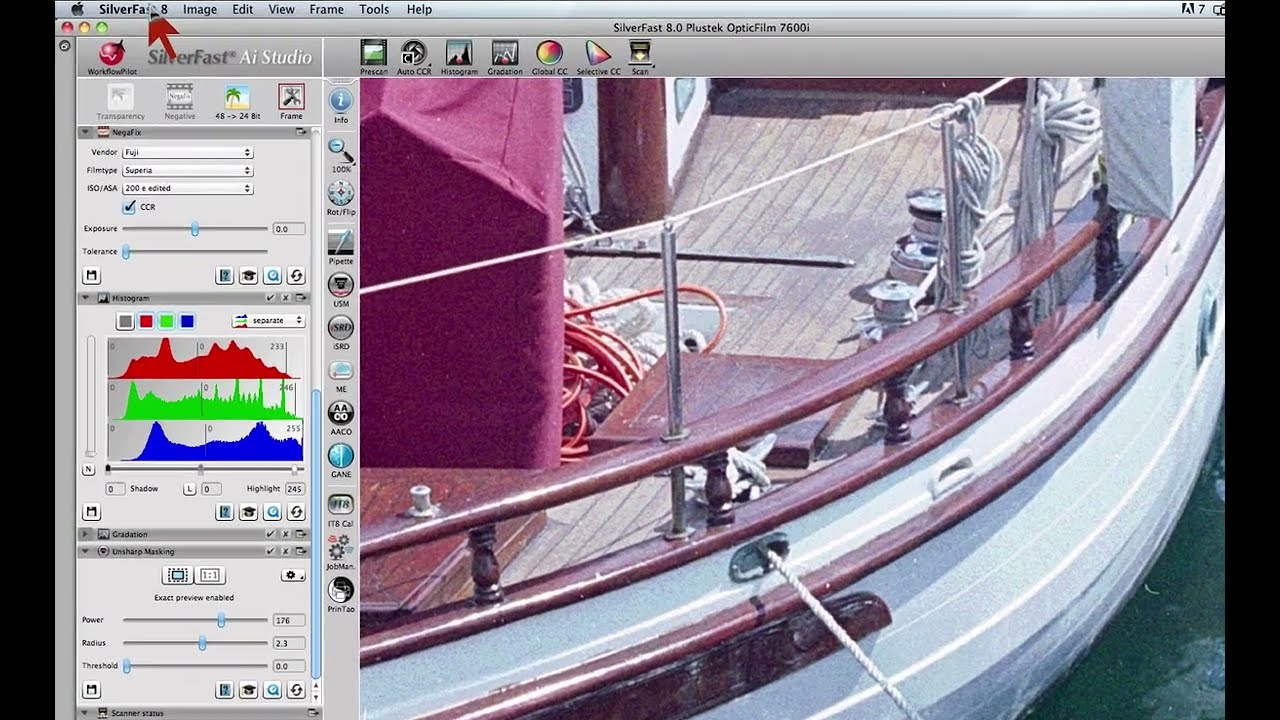
Extend the limits of film scanning: LaserSoft Imaging’s SilverFast Multi-Exposure increases effective dynamic range.


Multi-Exposure is one of the most popular SilverFast features. Experience here how your slide and negative scans can benefit from it.
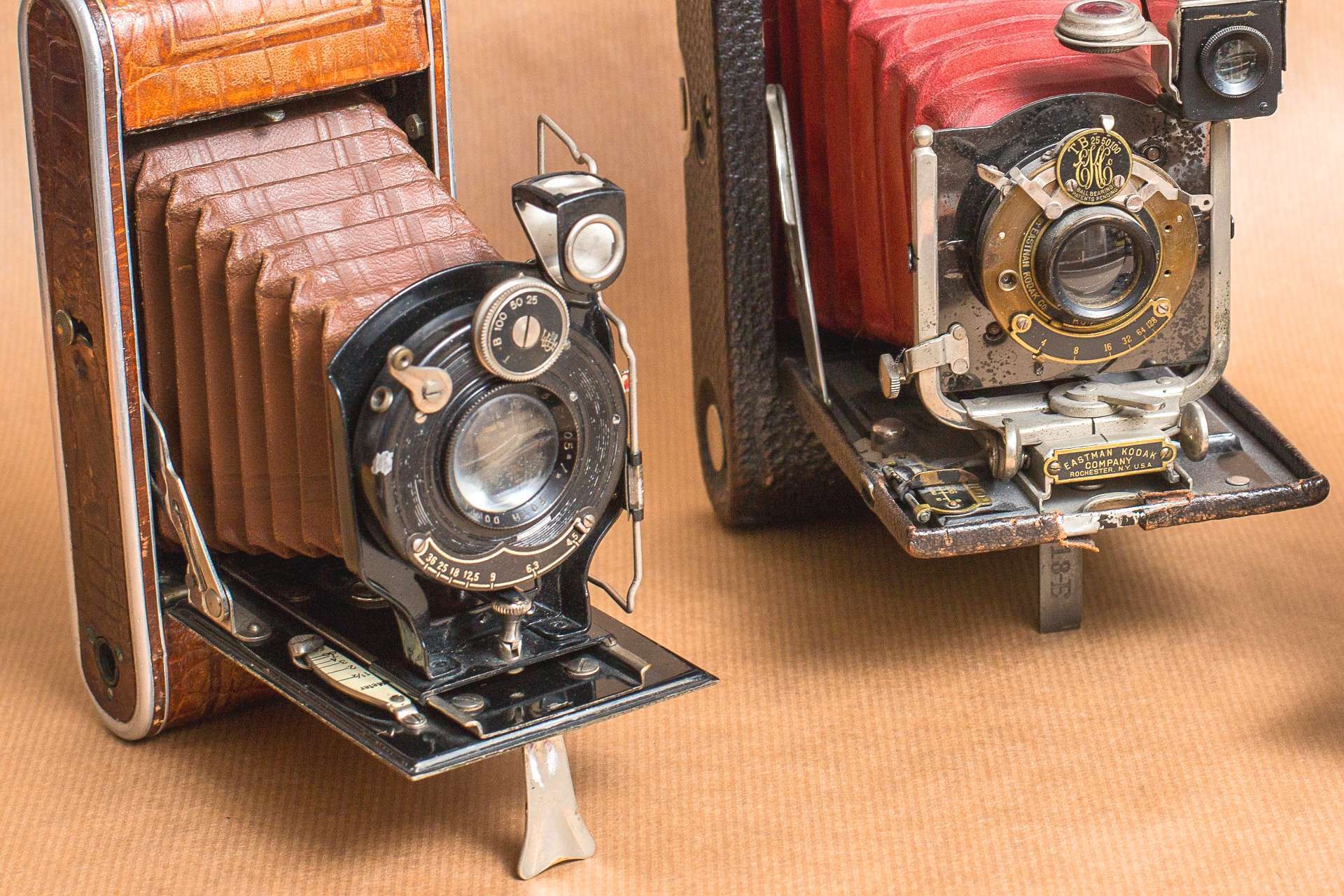
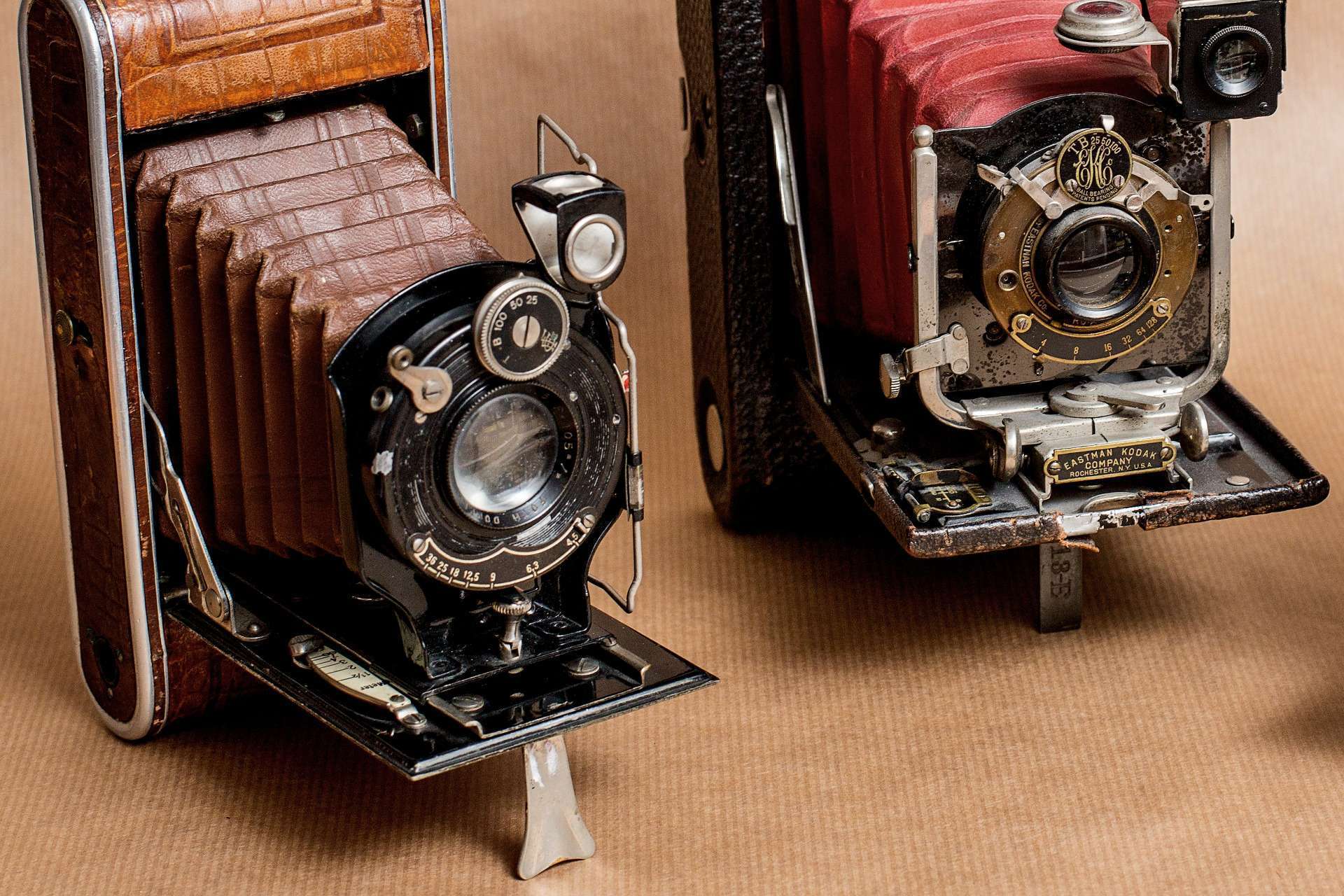
Multi-Exposure is a technique for increasing a scanner's Dynamic Range developed by LaserSoft Imaging. (Karl-Heinz Zahorsky, EP: 1744278 (expired), US 8,693,808)
The Dynamic Range of a scanner, also referred to as density range or contrast range, is a measurement for a scanner’s capability to recognize contrast levels. Contrary to reflective originals like photo transparent originals (black & white film), color negatives and slides consist of multiple film layers, which respond to light differently. Therefore, transparent originals achieve a high Dynamic Range when captured, which usually exceeds a scanner’s capabilities. As a consequence, especially in the very light and shadow image areas, image details get lost when scanning.
The Dynamic Range of each stage (capture, scanning, editing and storage) plays a crucial role in the quality of the final output. Generally, technologies with greater Dynamic Range produce better results.
SilverFast Multi-Exposure records an original’s maximum Dynamic Range by performing a double scan with an increased exposure time of the second scan. This procedure captures the light image area’s details in the first pass and the shadow details in the second. Afterwards an algorithm calculates the final scan, which now contains any detail, from each single scan.

If Ansel Adams had been a software developer there is a probable chance he would have developed the SilverFast Multi-Exposure function for LaserSoft Imaging. Being the greatest master of Dynamic Range in photography, he was the first to systematically measure the sensitivity of all the equipment involved. Following his example LaserSoft Imaging researched to consider the high Dynamic Range of slides and negatives during the scan process.
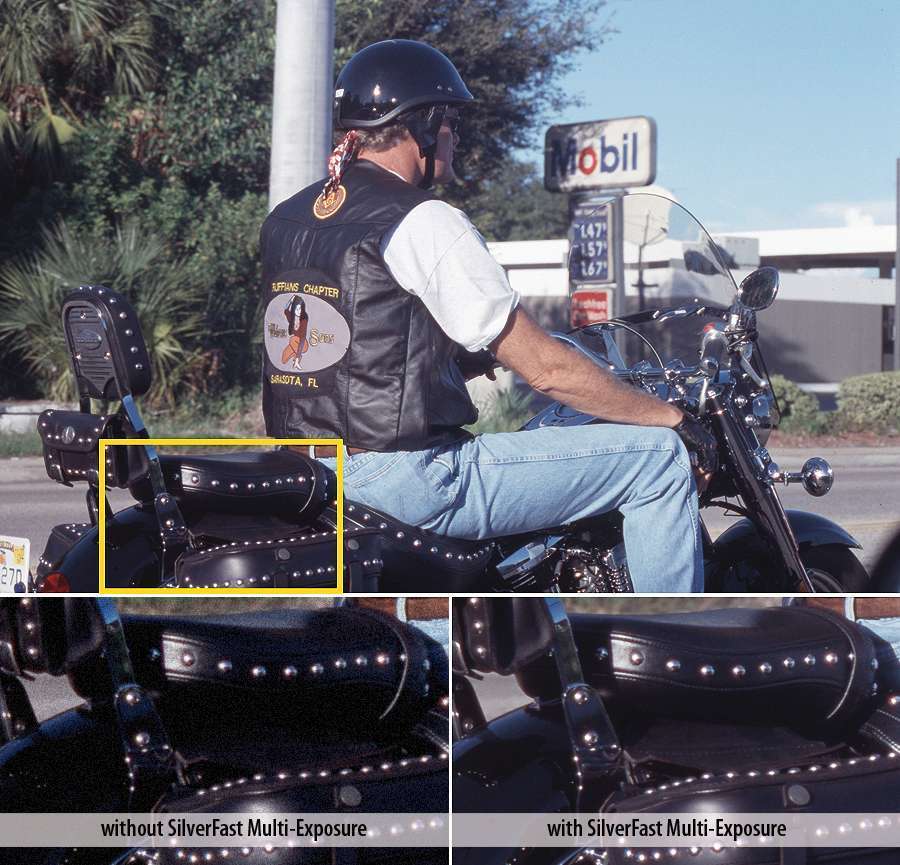
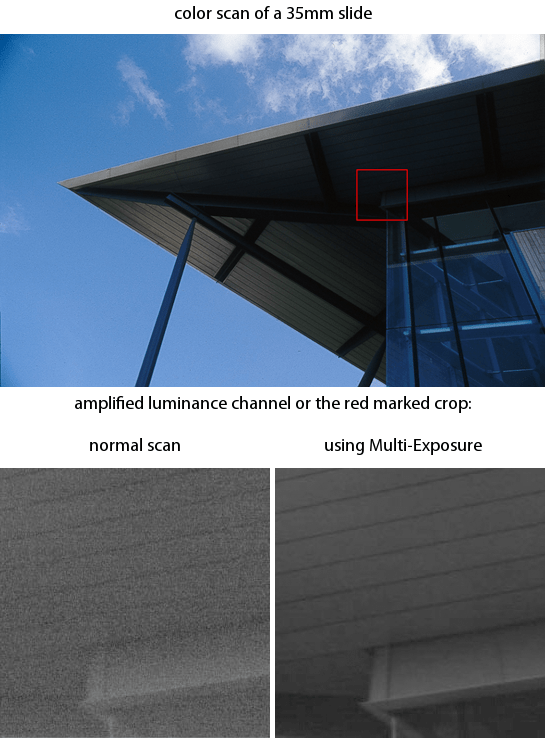
Exposing an original twice with different exposure times can reduce image noise and record more image details in the light and shadow image areas at the same time. This is especially noticeable among sharp highlights and distinct textures.
Multi-Exposure was used to considerably reduce image noise in the example image on the left. In the image above Multi-Exposure managed to capture a lot more image details in the shadow areas. These differences would be especially stark when printing in large format.
Extend the limits of film scanning: LaserSoft Imaging’s SilverFast Multi-Exposure increases effective dynamic range.

With the WorkflowPilot, scanner software SilverFast provides an expedient tool, that supports achieving good results really quickly. Manual controls and intelligent methods such as Multi-Exposure get the most out of any original.

SilverFast Multi-Exposure is another tool for optimizing the dynamic range. Especially transparencies like slides and negatives have a very high dynamic range, which usual scanners can not completely capture. Multi-Exposure performs two differently exposured scans, that are combined to a single image with greatly increased dynamic range, very similar to an HDR image.
The increase of Dynamic Range with Multi-Exposure is not only describable with words and pictures but also measurable with objective data.
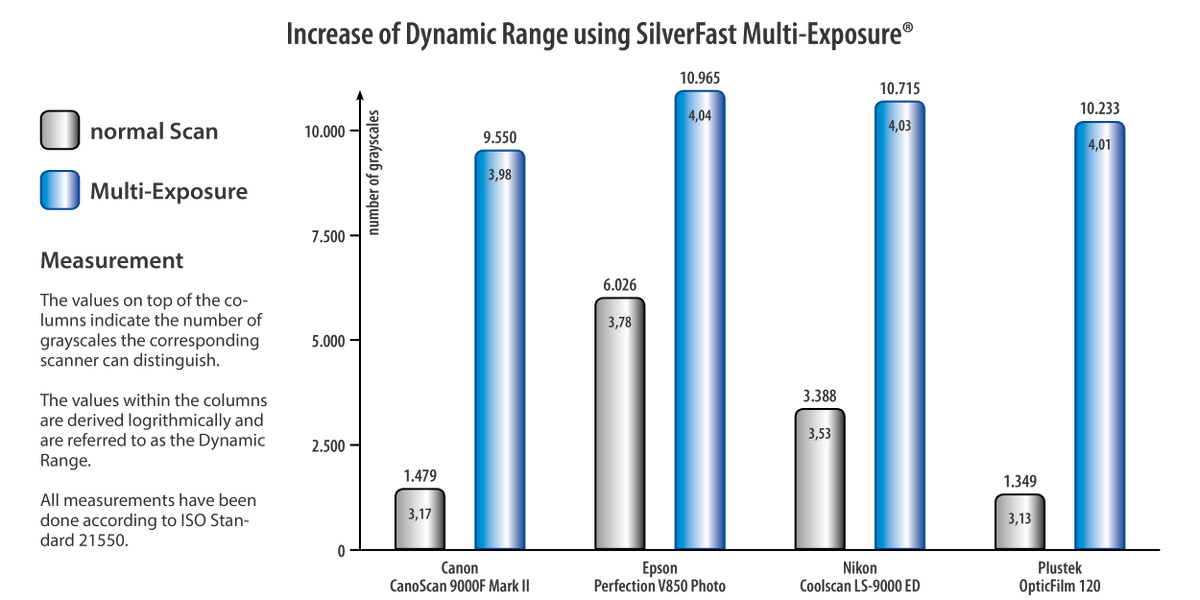
For explanation: The density (density range = Dynamic Range) is specified as the decade logarithm of the light transmission’s reciprocal. That is, a Dynamic Range of 2.0, 3.0 or 4.0, respectively, means the scanner is able to implement a contrast ratio of 100:1, 1000:1 or 10,000:1, respectively. Therefore, an apparently slight Dynamic Range increase in the Canon CanoScan 9000F Mark II example from just 3.17 to 3.98 actually means that the 9000F Mark II with Multi-Exposure is capable of perceiving a contrast ratio of not just 1.479:1, but of 9.550:1. Using Multi-Exposure, the 9000F Mark II can distinguish more than 6x as many grayscales.
This kind of Dynamic Range is usually only achieved with drum scanners, which can cost up to many times the price of a flatbed or film scanner.
SilverFast Multi-Exposure cannot be used for every scan activity.
Unfortunately not every scanner can support Multi-Exposure. Some models do not allow variation in exposure time for technical reasons. To find out if your scanner supports Multi-Exposure, please have a look at our compatibility list below.
Multi-Exposure is a feature of SilverFast scanner software SilverFast SE Plus and SilverFast Ai Studio. Thus, it’s also part of our Archive Suite software packages. If you already own a different SilverFast edition, but are wanting to use Multi-Exposure, we offer the possibility to receive an upgrade at a reduced rate.
The original to be scanned has to be transparent like slides or negatives. This technique is not usable for reflective originals like photos; however, due to the lesser Dynamic Range of such samples it is not necessary.
For best results please ensure that the original cannot be moved out of place during the double scan: Use a film holder or fix the slide with tape, if you want to be absolutely safe. This is necessary to prevent the slide from slipping as a result of vibrations which may occur during scanning.
Besides our other SilverFast Kodachrome features Multi-Exposure is well suited for scanning Kodachrome slides, which are very hard to digitize due to their very high Dynamic Range.
Multi-Exposure fits perfectly into the new SilverFast HDRi workflow. HDRi scanner RAW data captured with Multi-Exposure contain any image detail. Therefore, the SilverFast Archive Suite is best suited for fast archiving and later post-processing.
The SilverFast Multi-Exposure feature is supported by the following scanners:
Braun Phototechnik
Canon
Epson
HP
Kaiser
Mediax
Microtek
Minolta
Nikon
Pacific Image Electronics
Pentacon
Plustek
Polaroid
Reflecta
Sanwa
The listed scanners have been tested and support SilverFast Multi-Exposure. More scanners will be added to the list by and by.
Test Study: SilverFast Multi-Exposure and Scanner Dynamic Range for Epson and Nikon Scanners by Image Engineering, Germany
Test Study: SilverFast Multi-Exposure and Scanner Dynamic Range for Canon CanoScan 8600F by Image Engineering, Germany