Thanks to SilverFast, we can still use our older Epson scanners on current operating systems. The software has been constantly improved through a variety of innovations, so that it is far ahead of Epson Scan and others. SilverFast is our choice!


SilverFast taps the full potential of Epson’s high-quality devices. After Epson recognized that, many scanners were delivered bundled with SilverFast.
Up to 75% faster scanning: SilverFast ExpressScan – Learn more | Watch video
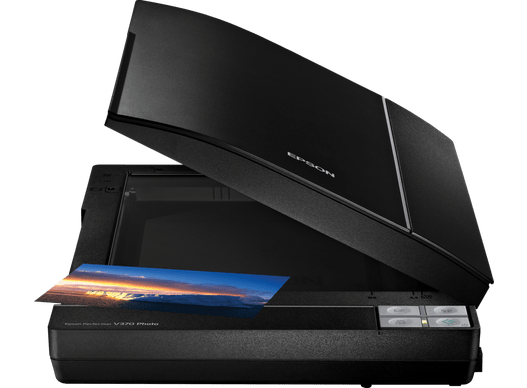
Flatbed scanner with transparency unit
Resolution: 4.800 x 4.800 dpi (manufacturer)
Optical density of 3.2 DMax (manufacturer)
No warm-up time: saves power and money
Thanks to SilverFast, we can still use our older Epson scanners on current operating systems. The software has been constantly improved through a variety of innovations, so that it is far ahead of Epson Scan and others. SilverFast is our choice!

Using SilverFast to scan all of my film on my V600 was wonderful, and unceasingly produced good and fast results. As I’ve upgraded my scanner to a V700, I hope to enjoy the same benefits that SilverFast gave me with the V600. The softwares from Epson and […] just don’t compare to SilverFast in my honest opinion, and I’ve tried them all.

I just purchased an upgrade to the new SilverFast software for an Epson scanner. It is fantastic! It was like getting a whole new scanner for the price of the upgrade.

I often had devices by Epson and the truth is that I never had any problems with them. I decided to get the V850 since it comes with SilverFast and I have never regretted it. Having used it for several months, I went for the Ai Studio upgrade and a target. The reason being that I always had trouble with i1 and in SilverFast the IT8 calibration works automatically. I can definitely recommend both, scanner and software, unconditionally.
Choose between BASIC, PLUS and PREMIUM edition.

SilverFast Archive Suite
(Features may vary depending on scanner model.)
Try Buy
If you encounter any question or problem with SilverFast and your Epson scanner, please visit our support overview page.
You can download the latest scanner drivers for your Epson scanner model here at the manufacturer’s website.
Here you will find SilverFast‘s minimum system requirements regarding your computer hardware and operating systems.