• SilverFast - Quality Scanner and Digital Imaging Software made in Germany since 1986
Brilliant scan results with SilverFast scanner software and the PACIFIC IMAGE ELECTRONICS

PIE PrimeHisto XE

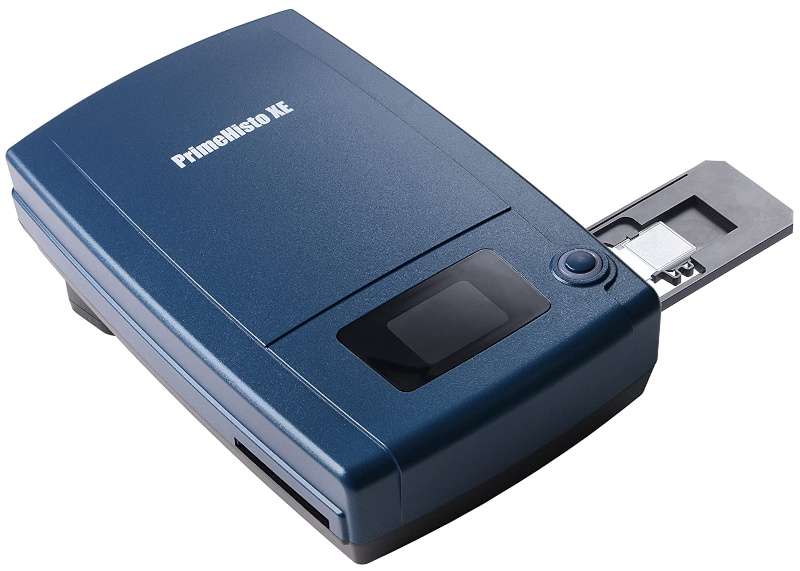
The PrimeHisto XE by Pacific Image Electronics is a high-precision scanner designed to digitize microscope tissue slides with exceptional clarity. It captures fine structural details and accurate colors—ideal for histology, pathology, and biological research.

PIE PrimeHisto XE

Technical Specifications

The scanner supports both Windows and macOS, and includes a secure slide holder for two samples. It comes bundled with HistoView for basic image adjustments and is also compatible with the advanced SilverFast scanning software, offering powerful professional tools for image optimization and analysis.

  • Scanner for manual microscope slide scanning

  • Digitizes tissue slide samples (75 x 25 mm)

  • Scannable area: 36.5 x 24.3 mm

  • Optical resolution of 10,000 ppi (manufacturer)

  • Optical density of 3.9 DMax (manufacturer)

A tissue slide holder is included. This is a plastic holder, in which two tissue samples can be inserted. Feeding the holder has to be done manually.

  • Windows 11
  • Windows 10 (64bit)
  • Windows 8 (64bit)
  • Windows 7 (64bit)
  • macOS 26
  • macOS 15
  • macOS 14
  • macOS 13
  • macOS 12
  • macOS 11
  • macOS 10.15
  • macOS 10.14
  • macOS 10.13

The PrimeHisto XE scanner from PIE (Pacific Image Electronics) is designed to scan tissue samples. According to the manufacturer it achieves up to 10,000dpi. The Dynamic Range of the scanner is specified with 3.9. Thus, the scanner achieves very good values, at least on the data sheet, which are sufficient for scans of very high quality. In practice however, the actual Dynamic Range should be well below 3.9 and SilverFast Multi-Exposure should be used. This Multi-Exposure funtionality, included with SilverFast SE Plus and Ai Studio as well as the Archive Suite, significantly increases the Dynamic Range and also reduces occurring image noise very effectively.

SilverFast Scanner Software for the Pacific Image Electronics

PIE PrimeHisto XE

Choose your PREMIUM edition.

Support & Help

If you encounter any question or problem with SilverFast and your Pacific Image Electronics scanner, please visit our support overview page.

Drivers

You can download the latest scanner drivers for your Pacific Image Electronics scanner model here at the manufacturer’s website.

System Requirements

Here you will find SilverFast‘s minimum system requirements regarding your computer hardware and operating systems.