


1. Foreword
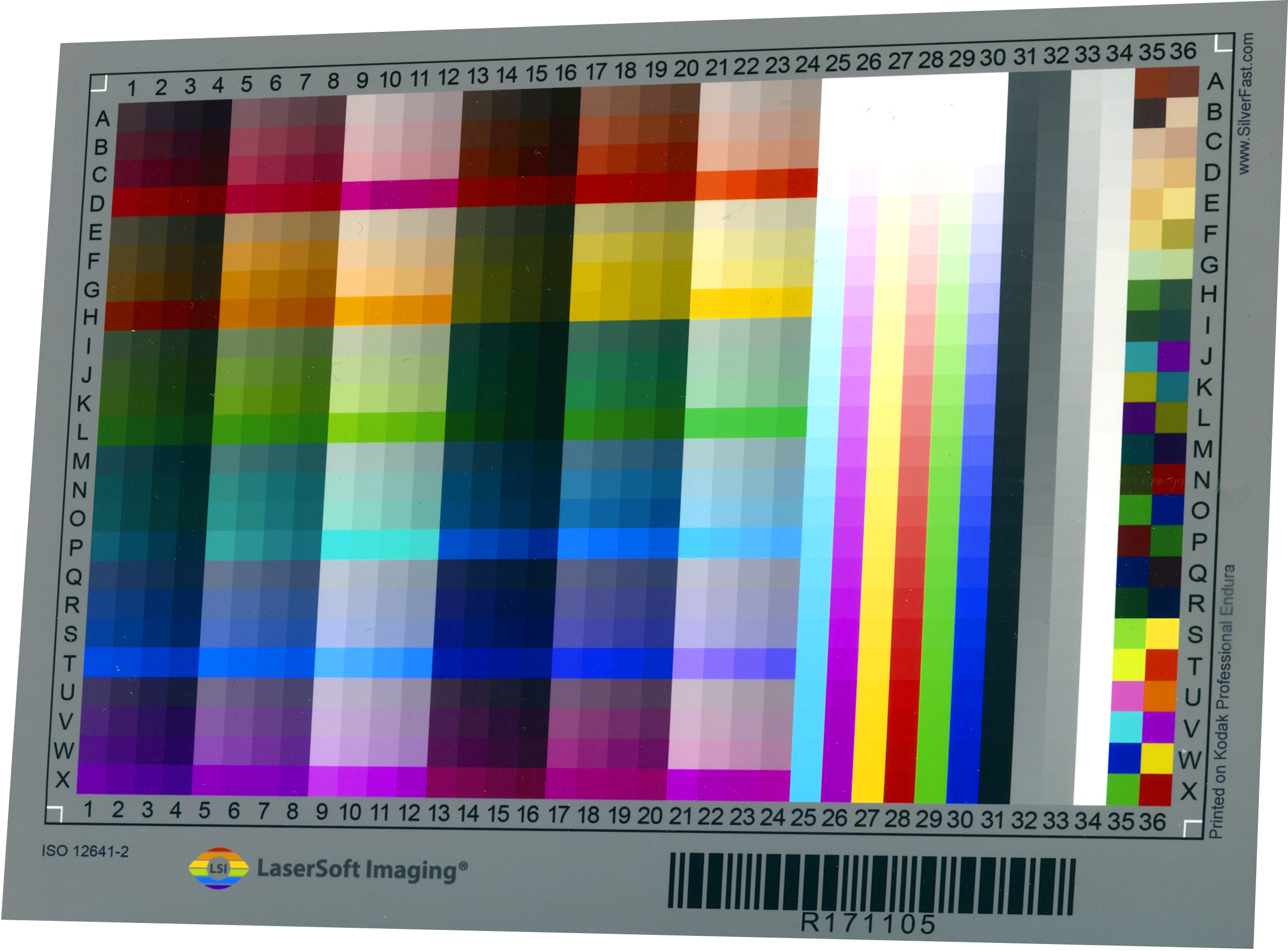
The IT8 targets offered by LaserSoft Imaging AG have been specially developed to achieve the best possible color reproduction results when digitizing with a scanner by measuring the color space of the scanner and providing it in the form of an ICC profile for the SilverFast color management system.
The target used must be appropriate for the selected scan mode. Calibration for reflective scans requires a reflective IT8 target, and calibration for transmissive scans requires a transparent IT8 target.
The USAF targets enable the optical resolution of a device to be measured up to approximately 6000 ppi and allow the sharpness to be assessed.
All our targets are manufactured with great care and precision. This document provides the necessary background information on the safe handling and monitoring of targets so that you can enjoy your product for as long as possible.
2. IT8 Target Specifications and Tolerances
The color patches used in the target correspond to the values specified by ANSI and ISO standards. Some of the patches are target-specific and may vary depending on the material used. The target values for the individual color patches are described in the corresponding reference file.
The target values of the individual color patches are described in the corresponding reference file and compared with the measured values during scanner calibration. The individual color profile is created based on this measurement. An average deviation (Delta-E) is calculated, which is output and monitored by SilverFast. If this value exceeds the values required by the ISO standard, SilverFast automatically issues a warning and does not create a profile.
All targets provided by LaserSoft Imaging AG are manufactured and measured either as small series (stack measurement) or as individual items (measured by hand). This ensures high quality and a particularly precise reference file. The corresponding reference file is specified directly on the target and automatically determined by SilverFast via a barcode and downloaded from our website.
The reference files can also be obtained directly from our website.
3. Monitoring the IT8 targets
3.1 Visual inspection
The visual inspection of the IT8 target should be carried out using 5000 Kelvin lighting with a CRI between 90 and 100. The target should be viewed against a neutral gray, matte, non-reflective background. Check the target for contamination and damage.
3.2 Automatic check
The IT8 standard requires a maximum Delta E value of 10 for 99% of the measurement fields relevant to the standard. This value is automatically determined by SilverFast and output as an average value after calibration.
SilverFast monitors the recorded values of the target and issues a message if they no longer comply with the ISO standard. In such a case, the IT8 target must be replaced. Since these values were originally defined for the printing industry, we recommend purchasing a new target as soon as a Delta E of 3.0 is exceeded.
3.3 Monitoring with other software
If you are using a calibration program from another manufacturer, please consult the manufacturer’s documentation regarding the monitoring of Delta E values.
3.4 Monitoring procedure for critical applications.
a. When you purchase a target, always purchase a second target for checking purposes.
b. Use a calibrated densitometer to measure and record the values of the Dmin and Dmax fields and the gray scale fields 1, 7, 14, and 22. Do this for both the working target and the control target. Although the status of the densitometer is not critical as long as it is used for all subsequent measurements, a densitometer in accordance with ISO 5-3 is preferable.
c. Store the control target in an opaque and airtight container. Store the target in a temperature and humidity-controlled location. Preferably at a temperature below -10°C (e.g., in a freezer).
When storing below room temperature, it is important that the container first adjusts to room temperature before it is opened. Otherwise, condensation (moisture) may form.
d. If there is any suspicion that the working target may have changed, repeat the densitometer measurements.
Compare the differences in density measurement between the working and control targets with the differences in density measurement of the original measurement. If the difference in density has changed by more than 0.03, it can be assumed that the target has changed outside the permitted tolerance.
Note: The difference between the two targets is used for comparison purposes, as this eliminates the absolute calibration of the densitometer as an influencing factor.
e. If the target needs to be replaced, we recommend using the previous control target as the new working target and using the newly purchased target as the new control target.
4. Storage and handling
Never expose the target to strong light sources. Avoid direct sunlight in particular. Store the target in a cool, dry place. The temperature should not exceed 21°C (70°F) and 50% relative humidity (RH).
Handle the targets with care to avoid scratches, creases, dirt, and fingerprints. We recommend wearing white, lint-free cotton gloves when handling the targets. After use, immediately return the target to its protective cover.
5. Safety instructions
The edges and corners of the material may be sharp or pointed. Therefore, be careful when handling the targets. Wear cotton gloves not only to protect the target, but also for your own protection. Please keep the target away from children under 12 years of age to prevent swallowing and injury. Keep the targets away from open flames. Only use the target in the manner described.
6. Service life
The service life of a target depends directly on exposure to light, handling, and storage conditions. If stored at room temperature we recommend replacing IT8 targets approximately every 3 years after purchase.
If you have any further questions or need assistance, please contact the support team at LaserSoft Imaging AG.