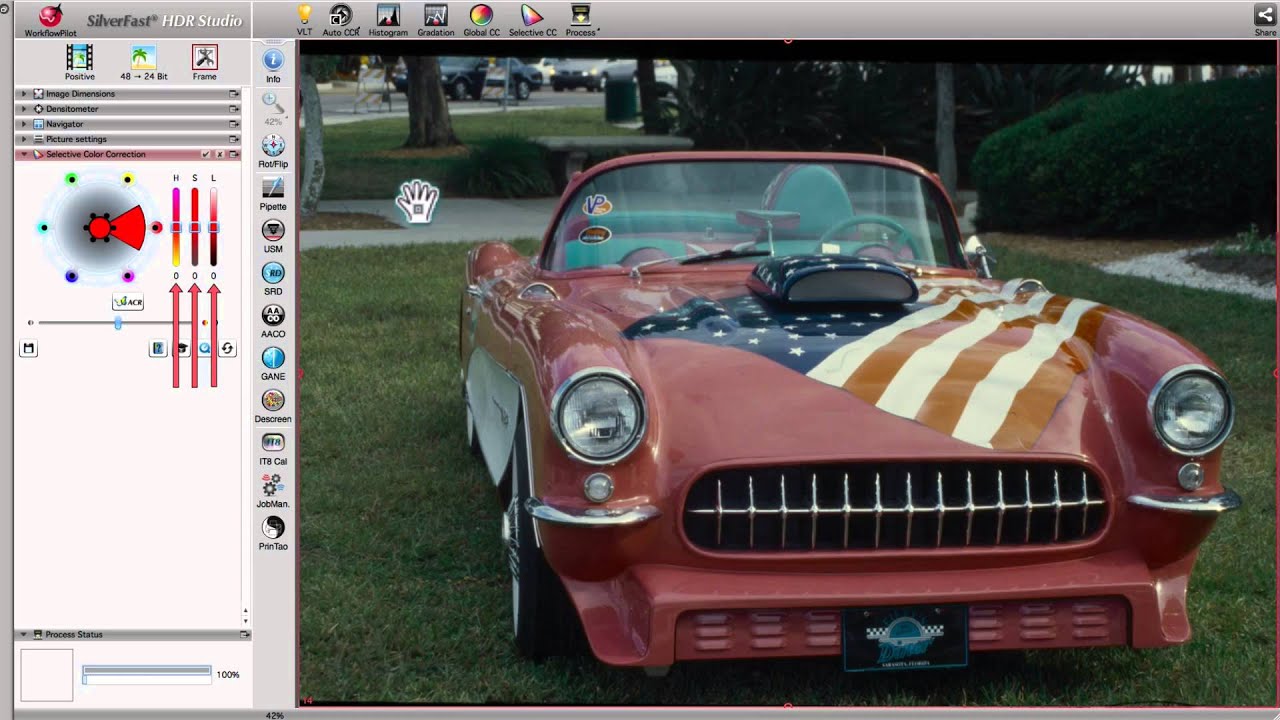
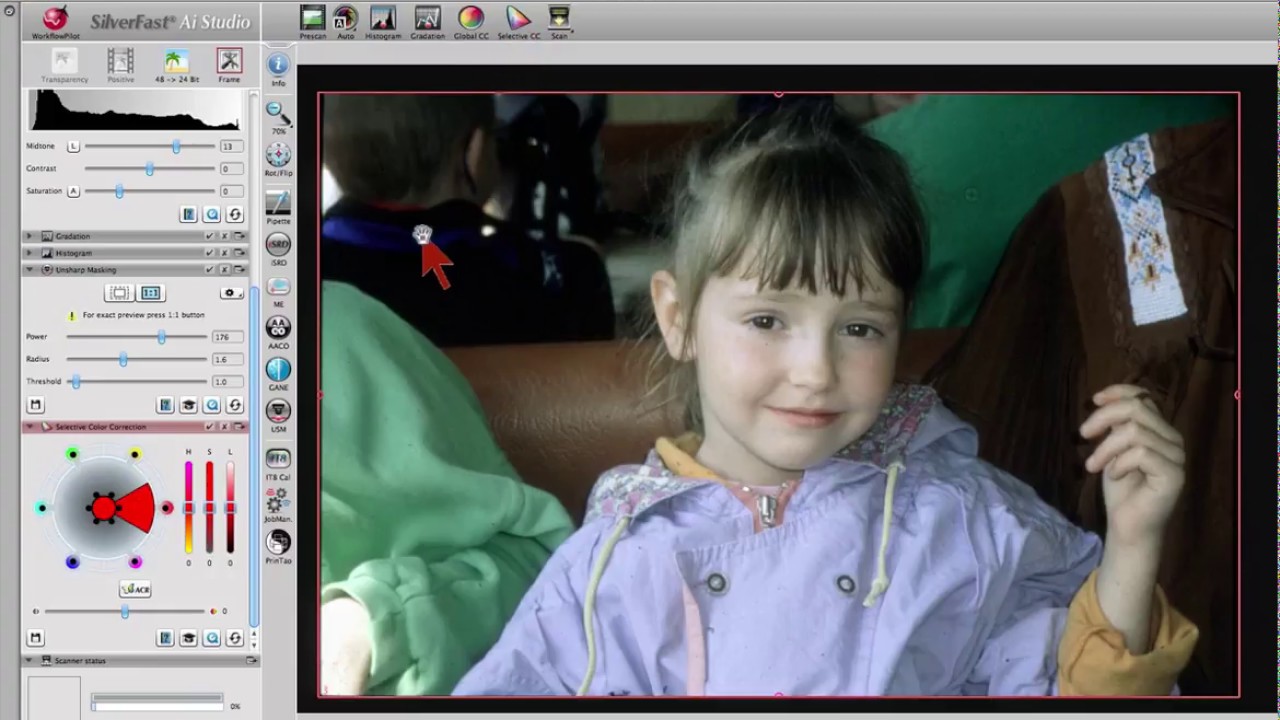
Corrección selectiva de color significa que un color será seleccionado y cambiado específicamente, todos los otros se mantienen iguales. Con un clic del ratón se selecciona el color a cambiar en la ventana de vista previa y este se capta automáticamente: de esta manera, la Corrección Selectiva de Color de SilverFast es especialmente fácil de utilizar. Para casos complicados, existe la posibilidad de utilizar máscaras vectoriales escalables para realizar correcciones de color en hasta 4 capas, cada una de ellas independiente de la otra.
Corrección Selectiva de Color en SilverFast SE y SE Plus
SCC, la Corrección Selectiva de Color, es especialmente fácil de utilizar en las versiones SE de SilverFast. Un clic en la ventana de vista previa selecciona el color que debe ser cambiado. En el diálogo de la herramienta ahora se seleccionará la entrada que mejor describa la corrección de color que se tiene en mente (por ejemplo, más cálido, más claro o más verde). La versión SE Plus de SilverFast le proporciona adicionalmente un control deslizante para ajustar el tono del color.
Corrección Selectiva de Color en SilverFast Ai Studio
La Corrección Selectiva de Color de SilverFast Ai Studio es diferente a la de las versiones SE en lo que respecta al manejo y al rango de funciones. Por un lado, además de la elección de preajustes es posible también una configuración manual de la rueda de color. Por el otro lado, se pueden limitar las correcciones de color a áreas especificadas por uno mismo con ayuda de máscaras vectoriales y hasta hacerlas independientes las unas de las otras en hasta 4 capas diferentes. Esto permite que diferentes áreas del mismo color tengan diferentes cambios de color; las correcciones de color complejas se vuelven fáciles.


 AACO
AACO ACR
ACR Automática de imagen
 Calibración ICC
 Calibración IT8
 ColorServer
 Concepto vista previa
 Control de Enfoque
 Densitómetro Múltiple
 Destramado
 Detección de marcos
 Escaneo por lotes
 ExpressScan
 Formato LAB
 GANE
GANE GCC
GCC HDRiRAW
 Herramienta Clonar
 Histograma a 16 bit
 Imagen a Web
 iSRD
iSRD JobManager
 JobMonitor
 Modo Experto
 Modo Kodachrome
 Multi-Exposure
 Multi-Tasking
 NegaFix
 Pipeta neutral
 PrinTao
 SAC
SAC SC2G
SC2G SCC
SCC SRDx
SRDx USM
USM VLT
VLT Vídeos de ayuda
 WorkflowPilot