English [change]
 English
 Deutsch
 Français
 Italiano
 日本語
日本語 Español
 Português
 Russian
 Chinese (Simp.)
 Czech
Czech Polish (Store only)
 Read testimonials and reviews here ...


The Auto Frame Alignment* was developed and designed to offer the user an extremely efficient, yet convenient scanning experience. When positioning multiple images on the scanner, the Auto Frame Alignment in combination with the Automatic Frame Detection is especially helpful. It will not only find and frame the originals, but it will also align them in a rectangular order with a single mouse click.
With this feature manually cropping and aligning images in another editing application is no longer necessary. SilverFast's intelligent detection and alignment algorithms perform these actions with a simple selection. The handling is convenient and simple and still allows the user complete control. Any image frame can be arbitrarily rotated when necessary.

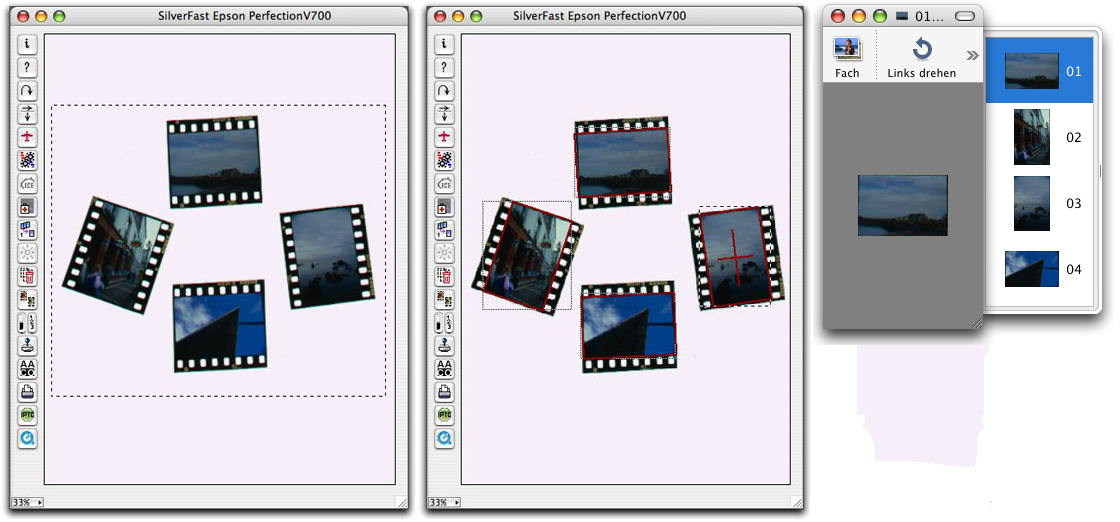 (Please click to enlarge)
* The SilverFast Auto Frame Alignment is part of SilverFast versions SE Plus, Ai Studio, DC Pro Studio and HDR Studio. Any other version can be upgraded on our website for a reduced price to another version that includes this feature.