 16bit ヒストグラム
 AACO
AACO ACR
ACR Descreening
 ExpressScan
 GANE
GANE GCC
GCC HDRiRAW
 Image to Web
 iSRD
iSRD JobManager
 JobMonitor
 LAB Format
 Multi-Exposure
 NegaFix
 PrinTao
 SAC
SAC SC2G
SC2G SCC
SCC SRDx
SRDx USM
USM VLT
VLT WorkflowPilot
 エキスパートモード
 カラーサーバー
 クローンツール
 コダクロームモード
 ニュートラルピペット
 バッチスキャン
 フォーカスコントロール
 プリンターキャリブレーション
 プレビューコンセプト
 ヘルプビデオ
 マルチタスキング
 多重デンシトメーター
 自動画像最適化
 自動IT8 キャリブレーション

最近、私は180枚以上の1936年以降の古いプリント写真をスキャンした。SilverFastの最も便利な機能は、1枚ずつスキャンしたら時間がかかるところを、可能な限り多くの写真をスキャナ上に並べてスキャンできることだ。たとえ位置がずれていても、ソフトウェアが自動的にすべての写真を見つけてくれるので、時間を大幅に節約できた。


フラットベッド上やフィルムホルダー内の写真、スライド、フィルムストリップを正確に検索するIFF+Engine(インテリジェント・フレーム・ファインディング)を開発しました。
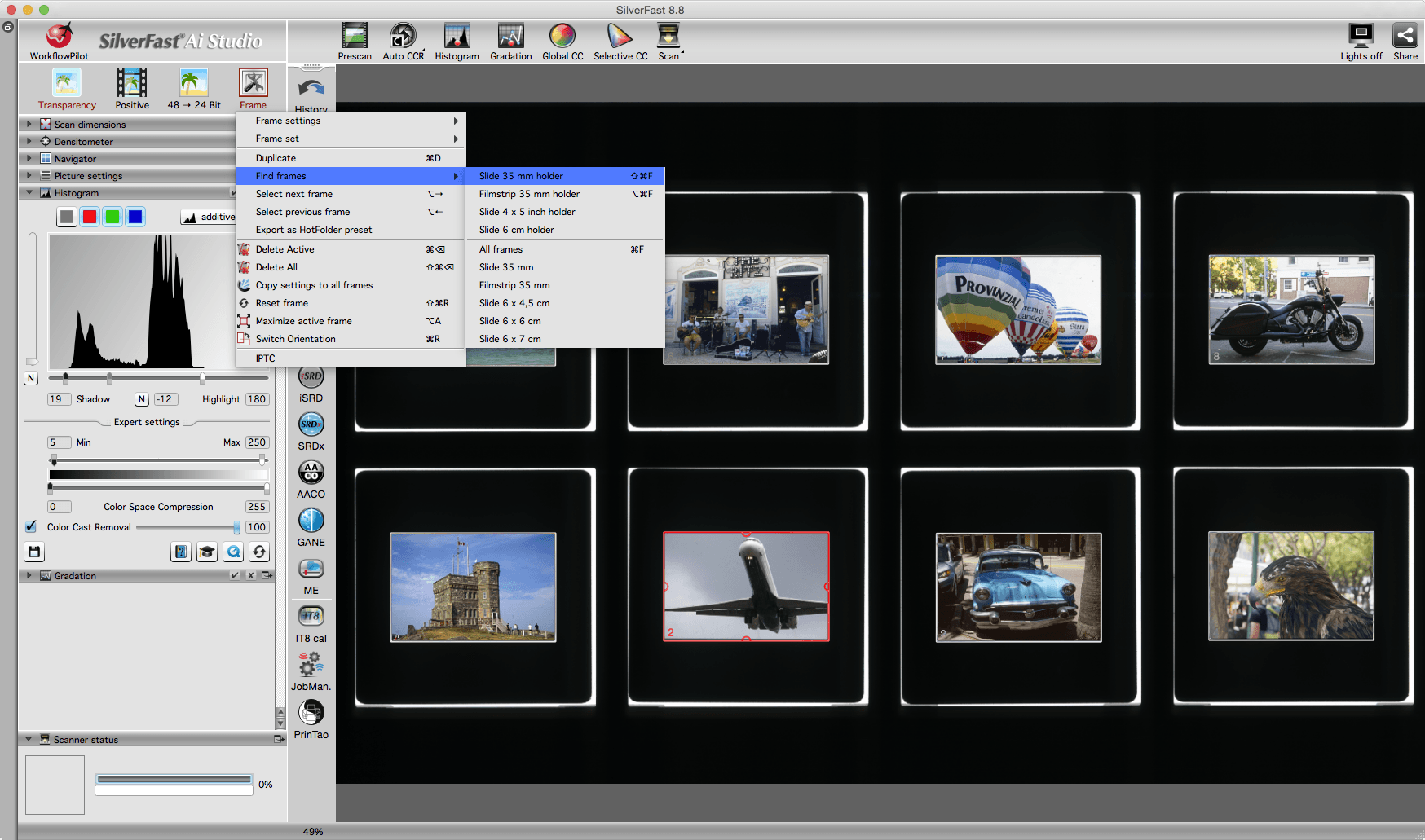
すべての画像フレームが正確に検索されるようになりました。さらに、フレームアウトセットオプションにより、スキャン中に画像が切り取られることはありません。SilverFastアーカイブスイートで、画像をハードドライブに高速かつ安全に保存できます。

これらの追加機能は、SilverFast Ai Studio、HDR Studio、アーカイブスイートに含まれています。
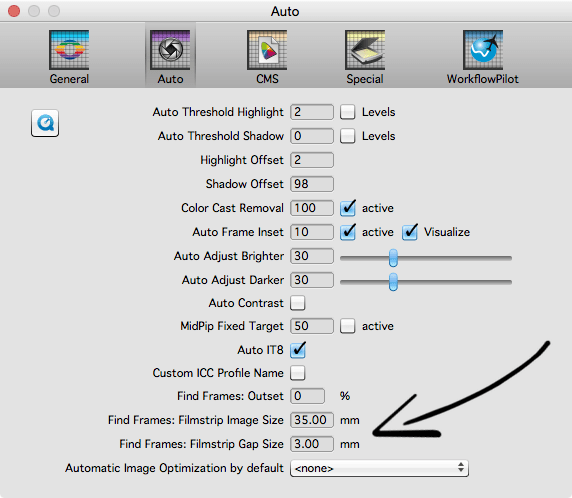
「編集」タブからSilverFast設定を開き、「オート 」タブに切り替えます。「フレーム認識:アウトプット」の入力値に、例えば5%の値を入力します。スキャンプロセスを開始するときに、このサイズの予備マージンがすべてのフレームに追加されます。
カメラによって露光されるフィルムの領域は異なり、どのカメラでも均等にフィルムが撮影されるわけではありません。そのため、スライドやフィルムストリップの実際の画像サイズや、フィルムストリップの個々の画像間の距離は、フィルムによって微妙に異なることがあります。例えば、画像の幅が35mmではなく34.8mmになることもあります。新しいIFF+Engineはこれを考慮し、画像サイズのわずかな違いも検出します。
さらに、カスタム画像サイズを設定することもできます。そのためには、「フレーム検索: フィルムストリップ イメージサイズ」フィールドに希望する画像フレーム幅をmm単位で入力します。個々の画像間の固定された間隔が必要な場合は、「フレーム検索:フィルムストリップ ギャップサイズ」をご利用ください。
これらの追加オプションについて詳しく説明したビデオもご覧ください。
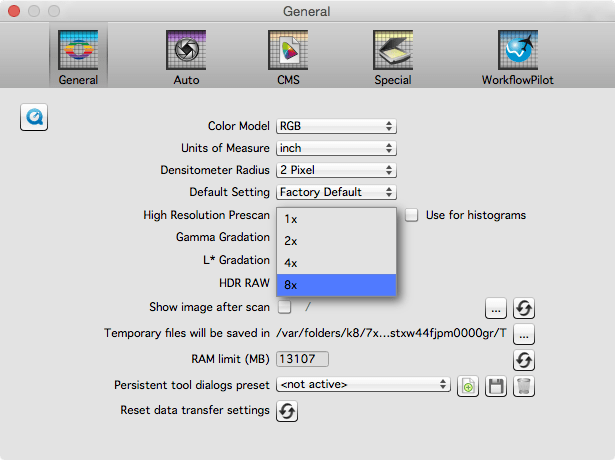
フレーム検出アルゴリズムに利用可能な画像データが多ければ多いほど、より正確に画像フレームを検出することができます。IFF+Engineのパフォーマンスを最大化するには、SilverFast環境設定の 「全般 」タブで、「高解像度プレスキャン」ドロップダウンメニューから 「8x 」を選択します。
最近、私は180枚以上の1936年以降の古いプリント写真をスキャンした。SilverFastの最も便利な機能は、1枚ずつスキャンしたら時間がかかるところを、可能な限り多くの写真をスキャナ上に並べてスキャンできることだ。たとえ位置がずれていても、ソフトウェアが自動的にすべての写真を見つけてくれるので、時間を大幅に節約できた。

IFF+の新しい自動フレーム検索機能のパフォーマンスには感動しました。以前は頻繁に手動でフレームを調整する必要がありましたが、高度な自動検出機能により、すべてのフレームが正確に検出されるようになっています。