• SilverFast - Quality Scanner and Digital Imaging Software made in Germany since 1986
Des résultats de numérisation brillants avec le logiciel de scanner SilverFast et l’CANON

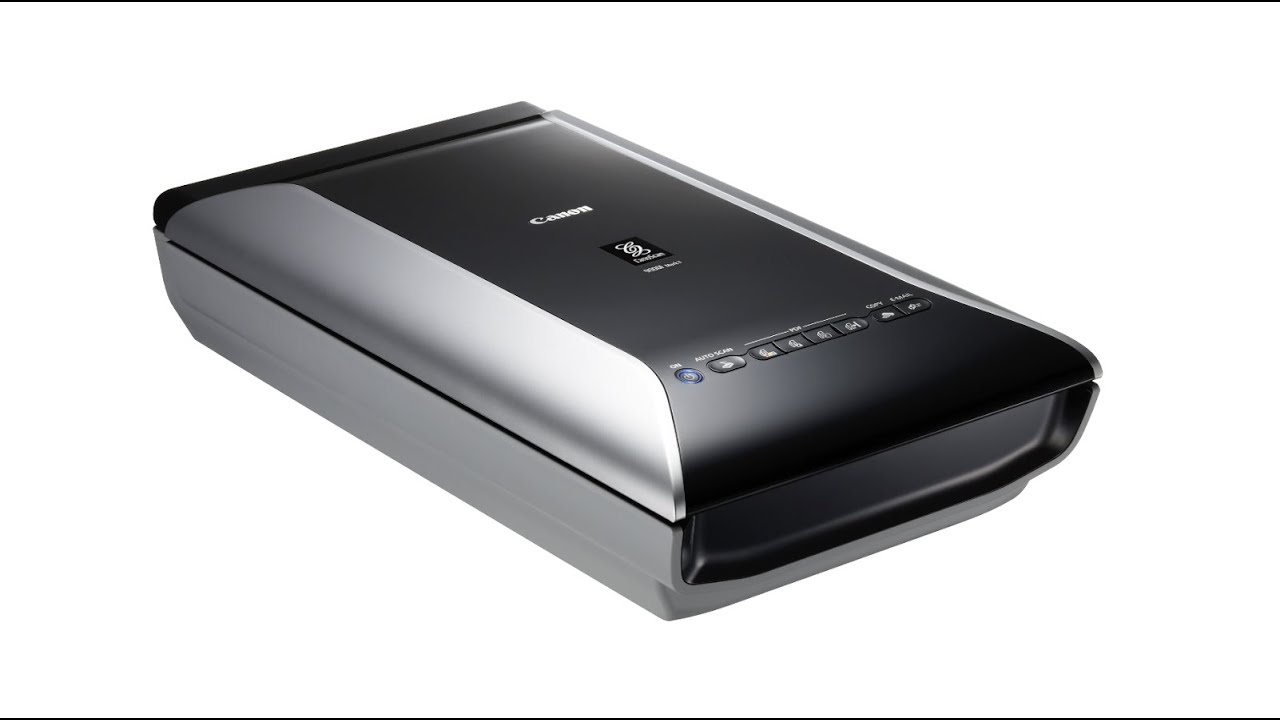
CanoScan 9000F

The CanoScan 9000F is the successor to the CanoScan 8800F. Canon has increased the resolution, shortened the warm-up time and slightly changed the design of the case.

Canon CanoScan 9000f

Spécifications techniques

  • flatbed scanner (max. 21cm x 31cm) with transparency unit (max. 6cm x 22cm)

  • optical resolution: 4.800 x 9.600 dpi (according to manufacturer)

  • software package (for Europe): SilverFast SE, Adobe PhotoShop Elements 8, ArcSoft PhotoStudio

  • suitable for documents, books, photos, slides, filmstrips, negatives, Kodachromes, …

  • Windows 11
  • Windows 10 (64bit)
  • Windows 8 (64bit)
  • Windows 7 (64bit)
  • macOS 26
  • macOS 15
  • macOS 14
  • macOS 13
  • macOS 12
  • macOS 11
  • macOS 10.15
  • macOS 10.14
  • macOS 10.13

  • Windows 10 (64bit)
  • Windows 10 (32bit)
  • Windows 8 (64bit)
  • Windows 8 (32bit)
  • Windows 7 (64bit)
  • Windows 7 (32bit)
  • Windows Vista (64bit)
  • Windows Vista (32bit)
  • Windows XP (32bit)
  • macOS 12
  • macOS 11
  • macOS 10.15
  • macOS 10.14
  • macOS 10.13
  • macOS 10.12
  • Mac OSX 10.11
  • Mac OSX 10.10
  • Mac OSX 10.9
  • Mac OSX 10.8
  • Mac OSX 10.7
  • Mac OSX 10.6
  • Mac OSX 10.5

As the successor of the popular 8800F the 9000F is the latest flatbed scanner from Canon. It features a very large transparency unit and scans quite fast without any warmup phase required, e.g. a small picture slide takes about 18 seconds (at 1200 dpi) and a color DIN A4 original about 7 seconds (at 300 dpi). It’s an affordable, professional device with SilverFast already included.

Logiciel de numérisation SilverFast pour le Canon

CanoScan 9000F

Choisissez entre l’édition BASIC, PLUS et PREMIUM.

Video: Canon CanoScan 9000F

This video explains the benefits of scanner software SilverFast 8 compared to the Canon Scanner Utility (ScanGear) in use with the CanoScan 9000F Mark II.

Voir la Vidéo

Support et d’Aide

Si vous rencontrez une question ou un problème avec SilverFast et votre scanner CanoScan 9000F, veuillez visiter notre page de support.

Pilotes

Vous pouvez télécharger les derniers pilotes de scanner pour votre modèle de scanner Canon sur le site Web du fabricant.

Conditions de système

Vous trouverez ici les exigences système minimales pour SilverFast concernant votre matériel informatique et vos systèmes d’exploitation.