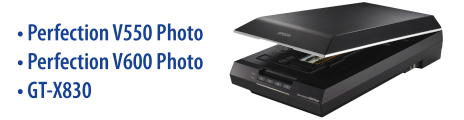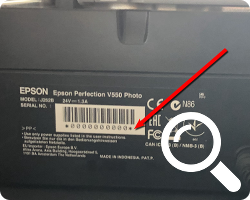
(スキャナーのシリアル番号はスキャナーの裏に記載されています。)
(スキャナーのシリアル番号はスキャナーの裏に記載されています。)
Unfortunately, your input could not be accepted. Please first make sure the serial number you entered does not contain any typing errors.
You have received SilverFast 8 on DVD or USB stick together with your scanner. If you have your SilverFast 8 serial number to hand, you can register it here and then download the software. If SilverFast 8 cannot be activated without a CD/DVD, you can exchange your serial number.
If you are using macOS 13 or newer or are generally interested in an upgrade to SilverFast 9, you can skip all of the above steps and go directly to our Online Store for a discounted upgrade to SilverFast 9.
If you do not have your SilverFast 8 serial number to hand, you can contact the manufacturer of the scanner and request the SilverFast 8 serial number, stating your hardware serial number.
既にスキャナーのシリアル番号を登録済みで、SilverFastのシリアル番号を紛失された場合はこちらへ。