Quick Links


Support-Werkzeug Kontakt

Sollte SilverFast sich nicht mehr öffnen lassen, können Sie uns über das folgende Support-Werkzeug kontaktieren. Dieses hat den Vorteil, dass uns automatisch Ihre SilverFast Supportdateien übermittelt werden.

Support-Werkzeug für OS X/macOS

Bitte führen Sie einen Doppelklick auf die DMG Datei aus, um diese zu mounten. Führen Sie anschließend das darin enthaltene "SilverFast Support-Tool" aus.

Support-Werkzeug für Windows

Bitte extrahieren Sie die Daten aus dem ZIP-Archiv. Führen Sie anschließend das darin enthaltene "SilverFast Support-Tool" aus.
 
Support-Assistent (FAQ)
Driver installation in Windows 8

SymptomSymptom:
ATTENTION! This manual is only required for older SilverFast 8 versions. Since version 8.0.1r51 a certified driver is available.

A driver can not be installed in Windows 8.

(In case you are using WIndows 8.1 please follow these instructions)

ProblemProblem:
The driver does not have a Windows 8 signature.

LösungLösung:
To install these drivers follow these steps:
(You might want to print this out if possible)

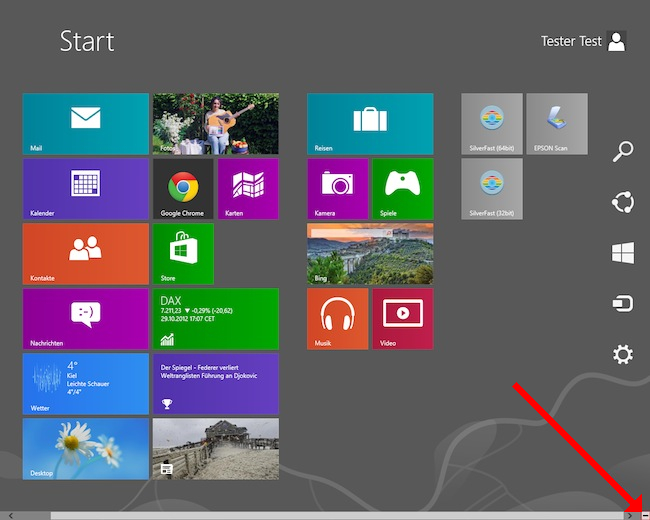
First open the Settings through the Minus-Button on the lower right-corner of the Windows start screen.


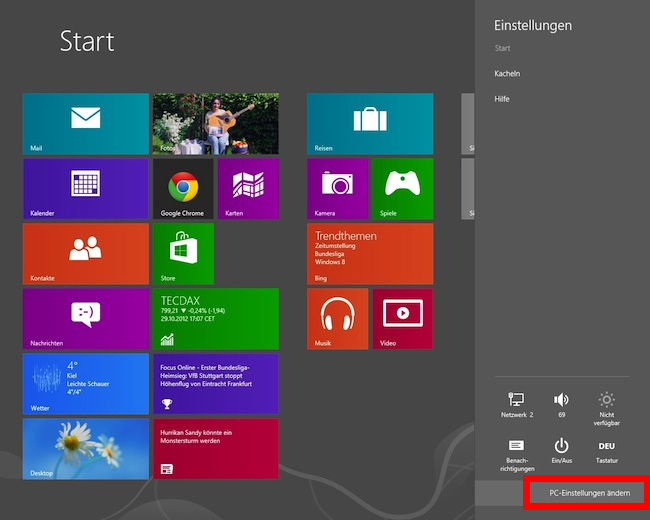
Select Change PC-Settings at the bottom of the menu.


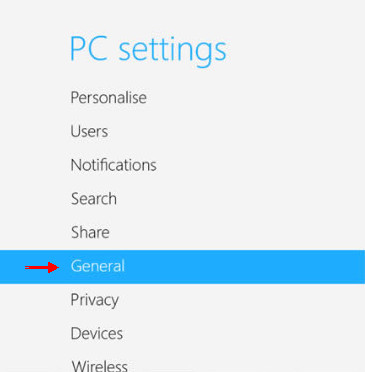
In the PC settings select General.


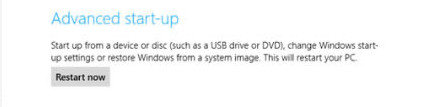
->the select Restart Now from Advanced start up.


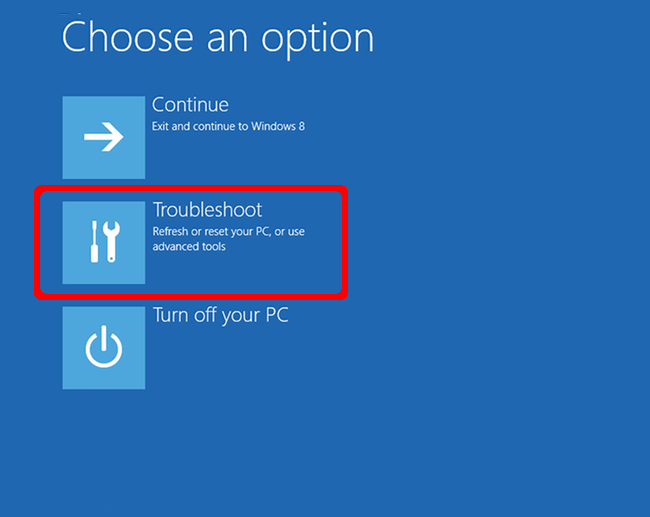
The reboot can take some time. After the reboot a blue selection screen comes up:


Choose Troubleshoot.


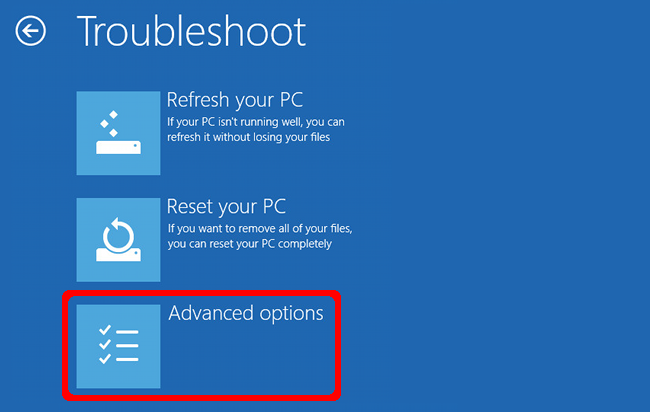
This menu will follow:


Choose Advanced Options.

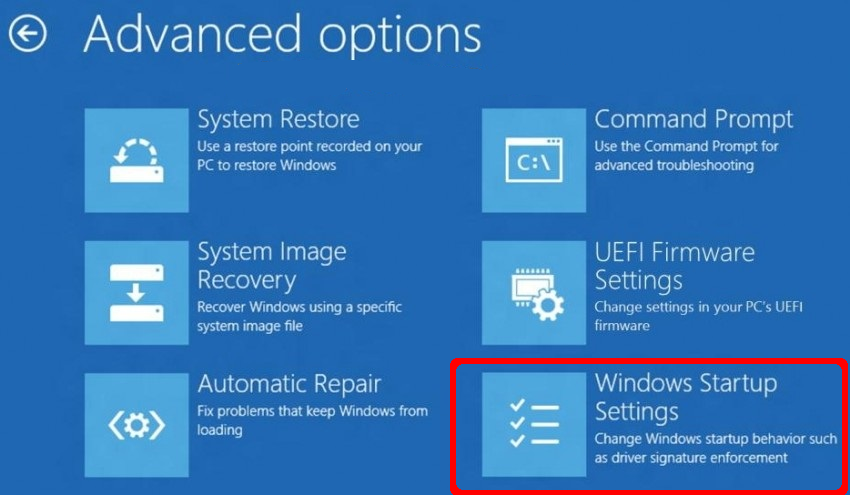
Then the following menu appears:

Choose Windows Startup Settings.
Next click Restart.

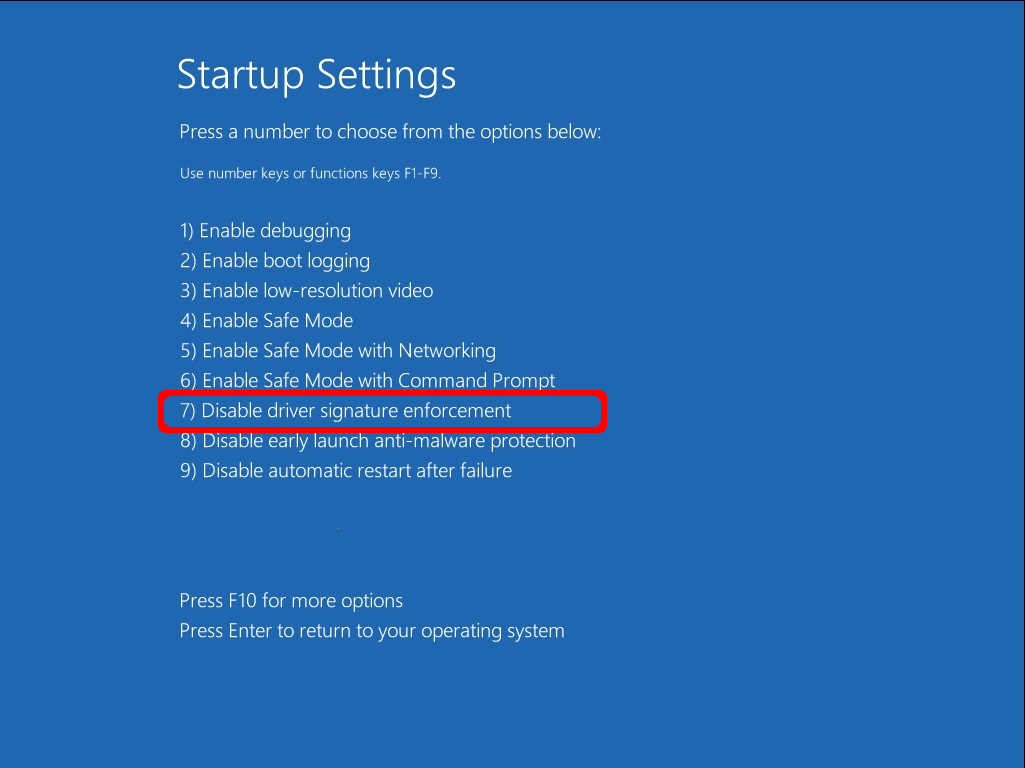
Now the computer will restart and the boot menu appears. 

Choose 7) Disable Driver signature Enforcement from the menu. 


Now windows will start. You can go on with the installation of the unsigned driver.
Please be aware that installing unsigned drivers is done on your own risk. If in doubt please contact the driver manufacturer. In most cases this is the manufacturer of the scanner hardware.
In case of Nikon and Reflecta devices SilverFast installs the drivers. In case of questions regarding Nikon driver installation please continue here


Mein Problem ist nun gelöst. Mein Problem ist noch nicht gelöst.
Start Zurück