日本語 [言語選択]
 English
 Deutsch
 Français
 Italiano
 日本語
日本語 Español
 Português
 Russian
 Chinese (Simp.)
 チェコ語
チェコ語 Polish (Store only)
Why is it important to optimize images in 48bit color space?
Tonal range has always been a major concern in color reproduction. To scan into 24bit and to do the required corrections on the 24bit image in Photoshop has been the standard procedure for quite some time. This approach consistently deteriorates the image quality because it reduces the tonal range significantly. The tonal range (number of shades) is important for retaining as many details in the image as possible. Click to enlarge Histogram 1 is showing a smooth tonal range without any gaps, which indicates all shades are well distributed over the entire tonal range. After applying corrctions to a 24bit image the histogram will look similar to Histogram 2: Gaps indicate that shades have been lost from the tonal range and the image quality has been compromised.

Click to enlarge
Histogram 1 is showing a smooth tonal range without any gaps, which indicates all shades are well distributed over the entire tonal range. After applying corrctions to a 24bit image the histogram will look similar to Histogram 2: Gaps indicate that shades have been lost from the tonal range and the image quality has been compromised.
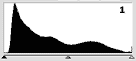 Histogram for the image on the left with good tonal range
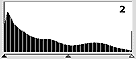 Histogram of image after optimization. Gaps are visible.
SilverFast assures uncompromised tonal range with 48bit correction
SilverFast Ai for scanners and SilverFast HDR for raw data processing now offer to do all corrections in 48bit color space. In this extremely large color space no siginificant shade is lost during image corrections. When all corrections have been made the image can be saved into 48bit again and further corrections can be done later without significant loss of quality.
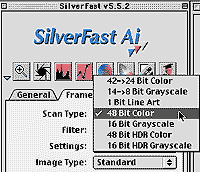 SilverFast Scan Type (Image Type in HDR) has 2 additions now: 48bit Color and 16bit Grayscale. While 48bit HDR Color scans into an uncorrected 48bit raw data file (only gamma correction and ICC-matching can be applied), 48bit Color or 16bit Grayscale allow to save all corrections into the raw date file (48 or 16bit Tiff file). It is also possible to scan directly into Photoshop using the image corrected high bit mode.
Click to enlarge
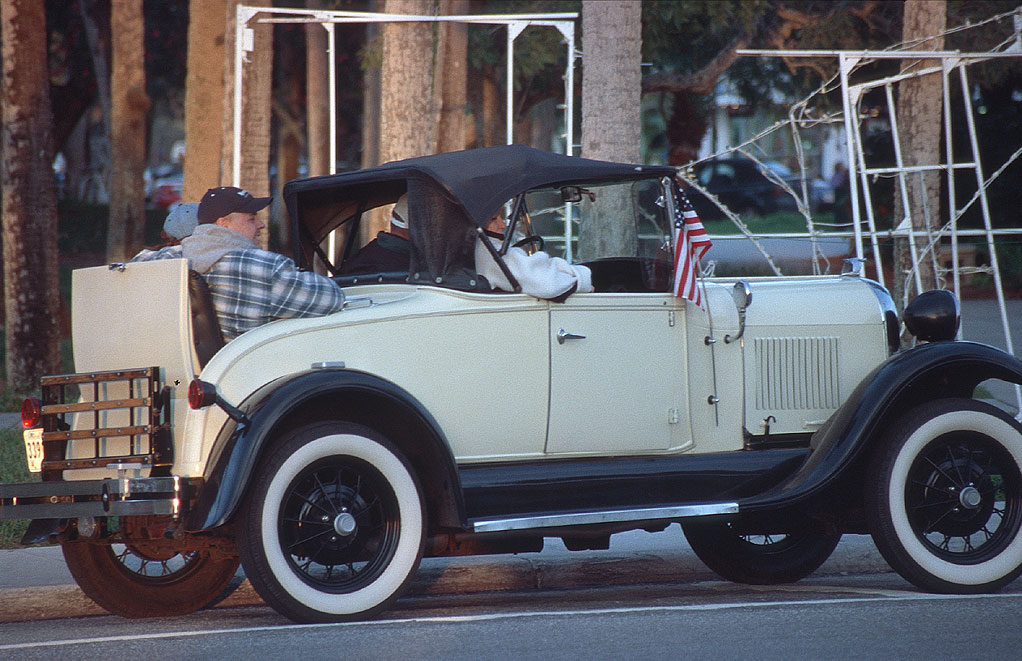
The corrected image of the car exhibits excellent image quality. The tonal range of the image is uncompromised (Histogram 4) and can be used for further corrections without any loss in image quality. This exemplifies the extraordinary quality and unique, productive power of SilverFast Ai / HDR.
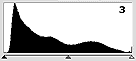 Original image with good tonal range
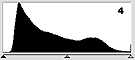 Color corrected image with good tonal range (48bit)
Try the SilverFast Ai or HDR demo and see for yourself!