English [change]
 English
 Deutsch
 Français
 Italiano
 日本語
日本語 Español
 Português
 Russian
 Chinese (Simp.)
 Czech
Czech Polish (Store only)
Special features
| âÃ��Ã�� |
Multiple Sampling
Allows averaging to help reduce noise in dark areas of some scans. |
| âÃ��Ã�� |
Focus and Sharpen
Allows averaging to help reduce noise in dark areas of some scans. |
| âÃ��Ã�� |
Film Strip Scanning
Allows averaging to help reduce noise in dark areas of some scans. |
| âÃ��Ã�� |
IT8 Calibration (optional)
The IT8 feature of SilverFast enhances the scan quality and color accuracy even further. |
| âÃ��Ã�� |
ICC Color Management
Scan with confidence using the profile tools of SilverFast. Bind SilverFast with Photoshop to reduce color drift from prescan to final scan, whether RGB or CMYK. |
|
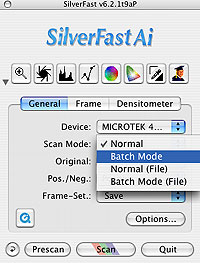
The ArtixScan 4000t is packaged with two film holders.
One for slides and one for negative film. SilverFast
allows two methods of scanning using these holders.
|