日本語 [言語選択]
 English
 Deutsch
 Français
 Italiano
 日本語
日本語 Español
 Português
 Russian
 Chinese (Simp.)
 チェコ語
チェコ語 Polish (Store only)


 Price Calculator
NEW: SilverFast High-End Suite available for Heidelberg Scanners
※接続に関して出張訪問サポート(有償)が可能です。
| SilverFast がハイデルベルグ製 CHROMAGRAPH 3300/3400、TOPAZ、TANGO/XL、NEXSCAN、PRIMESCAN スキャナー(Windows 2000, XP, Vista and Windows 7 / Macintosh OS-X 10.3 - 10.6)に対応しました。 |
    |
The SilverFast High-End Suite contains:
- Scan software SilverFast Ai IT8 Studio
- Imaging software SilverFast HDR Studio
- Two individually measured, high precision IT8-Targets for scanner calibration
(13x18 cm [5x7"] reflective and 6x7cm transmissive targets) - Premium support for two years
Note: If you have a prior version and wish to upgrade to the actual High-End Suite please call our customer support by phone (+49 (0)431-56009-0) or write an email to order at SilverFast.com.
イントロダクション
SilverFast Ai Studioの CHROMAGRAPH 3300/3400、TOPAZ、TANGO/XL、NEXSCAN、PRIMESCAN スキャナー対応版は、
TIFFデータの中へそのハードウェアのフルダイナミックレンジを書き込む事を可能にしました。
これは不要な 24 bit RGB を取り除く事になります。
SilverFast HDR Studio を利用して、クオリティのロスなしに
これら RAW ファイルを保存して処理する能力は、新たなワークフローを切り開くでしょう。
スキャナーにとってベストな 互換性 は、ハードウェアとファームウェアのリビジョンの使用時に LinoColor 6 か NewColor 2.0 で動作するかで得られます。 互換性をテストするには、デモ版をインストールして下さい。使用するハードウェアでテストされる事を推奨します。
詳細
スキャナーにとってベストな 互換性 は、ハードウェアとファームウェアのリビジョンの使用時に LinoColor 6 か NewColor 2.0 で動作するかで得られます。 互換性をテストするには、デモ版をインストールして下さい。使用するハードウェアでテストされる事を推奨します。
詳細
専用ワークフローソリューション - the High-End Suite
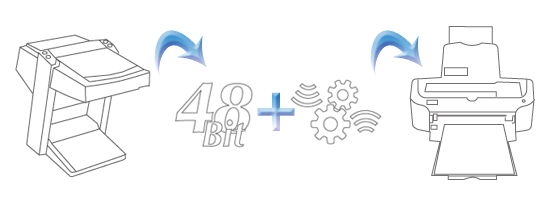
SilverFast Ai STUDIO ハイデルベルグ CHROMAGRAPH、TOPAZ、 TANGO、 NEXSCAN 、PRIMESCAN 用は、フルダイナミックレンジでの TIFF 書き出しが可能です。 24 Bit RGB にわざわざ変換する必然性はありません。これらのファイルは最高のクオリティと プロダクティビティをワークフローにもたらしてくれます。お持ちのスキャナーからの「デジタルオリジナル」のようなこれらスキャンを利用して JPEG 2000 圧縮にも適用させる事ができます。
SilverFast HDR STUDIO は、これら RAW ファイルを読み、クオリティのロスなしにスキャナー上と同様にオフラインで写真を最適化することができます。スキャナーを動作中、ユーザーはバッチモードで別のワークステーション上で写真の最適化する事ができます。 もちろん、120以上のフィルムタイプを収録し、簡単にカスタマイズも可能な NegaFix 等の SilverFast の他のツールを利用する事ができます。 JPEG 2000 圧縮においても、SilverFast は他の画像処理ソフトに比べて7倍高速に 処理可能です。 HiRepp 機能を利用して、クオリティのロスなく 3GB ファイルまで圧縮し、これらファイルを再び高速にオープンさせる事ができるようになります。 ハイデルベルグ CHROMAGRAPH, TOPAZ, TANGO, NEXSCAN, PRIMESCAN を OS-X で使用する事ができます。また、 FireWire 400 のアダプタを搭載した Intel Mac も同様です。 様々なハイライトの中でも、カラーコレクション(12色まで)付 IT-8 キャリブレーション、 プラグ&プレイ CMYK、 バッチモード、Jobmanager、プロフェッショナルマルチデンシトメーターなどがあります。
PhotoProof 付のソフトプルーフや、 PrinTao でのレイアウト付プリント機能も改良されています。 SilverFast Ai STUDIO と SilverFast HDR STUDIO はあなたに最適のワークフローになるでしょう。
User Experience
 "We have used SilverFast's High-End Suite for years and we are very pleased that SilverFast allows to run our Heidelberg high-end scanners with modern operating systems up to Mac OS X 10.6 or Win 7. Through combination with image processing software SilverFast HDR Studio 8, we have the ability to edit and optimize images in parallel on a second computer. This way, we achieve a maximum efficiency, namely optimum quality within short processing time."
Gunnar Kettler, Managing Director Kettler Print Publisher, May 2013
 "... what makes SilverFast Ai better than the average bear for scanning tasks, particularly for print and e-media production, is the truly well thought-out interface and the wealth of production-oriented features."
"All in all, this (SilverFast) is a superior scanning environment with production-oriented options ... and professional results for both new comers and scan pros. I highly recommend it"
 "We recently purchased the SilverFast Ai Studio and HDR Studio Package for both of our Topaz scanners. With this new workflow, our prepress production is much more efficient.With over 1400 scans and more digital camera files coming in each month, SilverFast's PrinTao feature is a tremendous time saver. No more loading individual files into Quark for proofing. With SilverFast we can already see a substantial return on our investment."
Bill Wise, Prepress Manager, Amos Press, Sidney, Ohio
 "We purchased the SilverFast scanning software package for our Heidelberg Topaz scanner so we would always have an upgrade path to newer software and hardware. With LinoColor it was pretty much a dead end on system 9. The Auto De-Screening feature in SilverFast is amazingly good and we are very happy with the quality of the scans. With regards to color control - what I see in SilverFast is very, very close to what comes off the digital press."
Philip Baca, Prepress Manager, Paper Tiger, Sante Fe, New Mexico
ハイデルベルグ製ハイエンドスキャナー
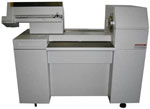 |
Heidelberg Chromagraph 3300/3400 (Mac)   SilverFast 6.6 supported SilverFast 6.6 supportedMac OS X 10.6 (Snow Leopard) compatible |
Heidelberg Chromagraph 3300/3400 (Win) SilverFast 6.6 supported Windows 7 (32/64) compatible |
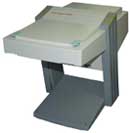 |
Heidelberg Topaz (Mac) SilverFast 6.6 supported Mac OS X 10.6 (Snow Leopard) compatible |
Heidelberg Topaz (Win) SilverFast 6.6 supported Windows 7 (32/64) compatible |
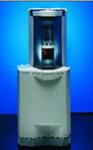 |
Heidelberg Tango/XL (Mac) SilverFast 6.6 supported Mac OS X 10.6 (Snow Leopard) compatible |
Heidelberg Tango/XL (Win) SilverFast 6.6 supported Windows 7 (32/64) compatible |
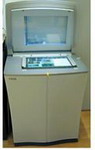 |
Heidelberg NexScan (Mac) SilverFast 6.6 supported Mac OS X 10.6 (Snow Leopard) compatible |
Heidelberg NexScan (Win) SilverFast 6.6 supported Windows 7 (32/64) compatible |
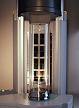 |
Heidelberg PrimeScan (Mac) SilverFast 6.6 supported Mac OS X 10.6 (Snow Leopard) compatible |
Heidelberg PrimeScan (Win) SilverFast 6.6 supported Windows 7 (32/64) compatible |
| more supported Heidelberg スキャナー ... | |
これらのスキャナーは従来の SCSI インターフェースで利用中、 OSの最新版利用時に問題が生じる可能性があります。(Macでは新システムではSCSIが正しく動作しません)
最近、適切なSCSIカードを見つける事も難しくなっているため、当社では SCSI アダプターに Firewire を使用されるよう推奨しております。
詳細は 対応アダプター を参照下さい。