 English [change]
 English
 Deutsch
 Français
 Italiano
 日本語
日本語 Español
 Português
 Russian
 Chinese (Simp.)
 Czech
Czech Polish (Store only)
Professional Scanner Software for Epson Scanners |
|
|
SilverFast taps the full potential of Epson's high-quality devices. Many flatbed scanners are not only proper for digitizing documents and photos, but are also suitable for scanning slides, negatives and filmstrips due to their transparency units.
SilverFast is included in many Epson scanner's package of delivery to turn these scanners into professional devices, that deliver high quality scans. If you are going to purchase a new Epson scanner, we recommend to assure SilverFast is included with the device. |
    |
Epson Scan vs SilverFast 8This video explains the benefits of scanner software SilverFast 8 compared to the Epson Scan software in use with the latest Epson scanners. |
|
Special Solutions including Epson Scanners |
|
SilverFast Office Scanners for Public AuthoritiesHigh-quality Epson devices with a special edition of SilverFast are part of the SilverFast Office series. This SilverFast Office products are highly specialized through customized SilverFast software. They meet the requirements of the German federal printer Bundesdruckerei for the creation of identity documents in DIGANT® process (Digital application process). For more information and purchase options, please visit www.officescanner.de (German). |
SilverFast X-Ray: Scanners for the Medical SectorSilverFast X-Ray has been specifically designed for digitizing X-ray film. Thanks to individual customization the software is able to extract a maximum amount of details as well as the entire tonal range of medical and scientific X-ray film. More information can be found here: SilverFast X-Ray. |
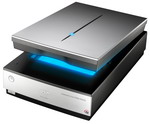
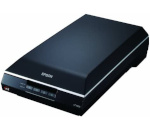
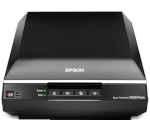
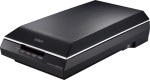
Scanner SelectionSelect your Epson model to obtain scanner-specific information. Download demos and updates, check compatibility and prices. V600 | V700 | V750 | V800 | V850 | 2450 | 3200 | 4870 | 4990 | 10000XL | 11000XL | 12000XL |

MoviesOur movies will introduce all SilverFast highlights and advantages to you, quick and easy to understand. Below you can directly select some movies showing the most important SilverFast features. _____________________ [read more …] Epson Ai Studio Features | Multi-Exposure | iSRD | Kodachrome | WorkflowPilot |

HighlightsThanks to its unique features and highlights SilverFast has become world standard for scanner software. A majority of these features is patented and protected by trademark law. _____________________ [read more …] Multi-Exposure | WorkflowPilot | Multi-Tasking | IT8 Calibration |

Press & TestimonialsInternational newspapers and magazines have tested SilverFast and are excited with the results. Read here what editors and customers think about SilverFast. Some of the articls are Epson specific reviews. _____________________ [read more …] Customers about SilverFast & Epson | John Barclay - V700 | Mark Segal - V750 |

Support & ForumFor questions or problems regarding SilverFast and Epson scanners, please refer to the support overview page, which provides a variety of useful links, like our Epson forum, the general FAQ and the current system requirements. _____________________ [read more …] Forum Epson scanners | System Requirements |
64Bit HDRi & Archive SuiteSilverFast's 64bit HDRi format contains all readable image information along with the data of the infrared channel. For a perfect HDRi workflow, we recommend the SilverFast Archive Suite for your Epson scanner. _____________________ [read more …] Movie 64bit HDRi | Archive Suite | Film Archive Suite |

SilverFast vs. Epson ScanEvery scanner manufacturer provides an own scanner software for its devices. Usually, these software solutions are not as powerful as SilverFast. Therefore, we compare for you. Test results are available below. Foto Hits V600 | Dynamic Range | Dust and Scratch RemovalEpson |
Kodachrome & EpsonKodachrome slides are particularly difficult to digitize, the scans often show a blue cast. Using a Epson scanner with SilverFast, you obtain perfect scans. Even SRD and iSRD can be applied. Info Kodachrome Profiles | Kodachrome Flash page |

Optimum scan results for brilliant images
« I just purchased an upgrade to SilverFast 8 for an Epson scanner. It is fantastic! It was like getting a whole new scanner for the price of the upgrade. » Professor Roderick Robertson, Saint Mary's University
|
||||||||||||||||||||||||||||||||||||||||||
|
|
||||||||||||||||||||||||||||||||||||||||||
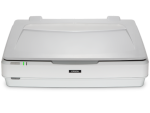

 SilverFast 9 supported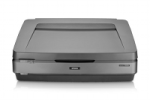
 Photographer Mark Segal is an expert in scanning technique and has recently written a tutorial entitled:
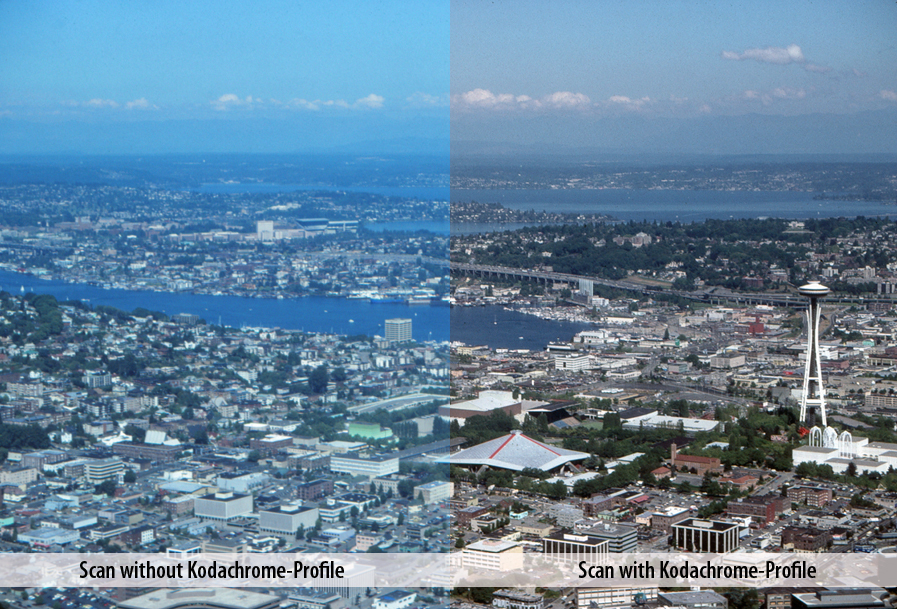
 Thanks to our special Kodachrome profiles for our Epson software you have three major advantages compared to usual software that let you finally scan your Kodachrome slides in high quality: maximum Dynamic Range, IT8 calibration and free of dust and scratches.

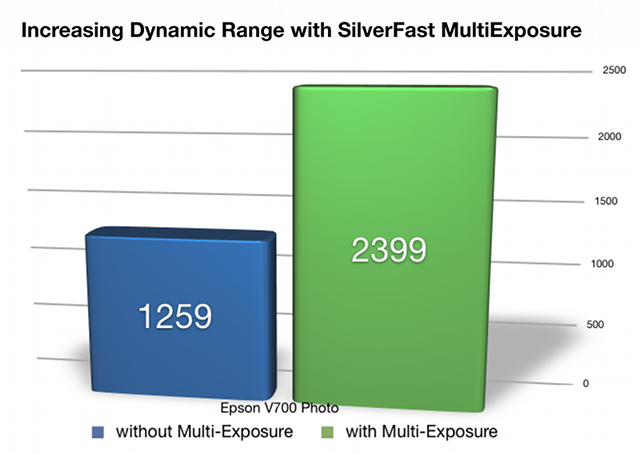
 Dynamic Range is the most important factor for high quality scans, and a higher Dynamic Range ensures significantly better scans. Better scans means more visible details in highlights and shadows as a result of higher Dynamic Range. SilverFast Multi-Exposure® increases the Dynamic Range of the Epson V700 from 3.10D (without ME) to 3.38D (with ME). This increase shows that the scanner can see more levels of gray, an increase from 1.259 levels to 2.399 levels of gray (based on ISO Standard 21550*). That is a remarkable difference!
 Now with the new special SilverFast Kodachrome profiles for Epson Scanner you can enjoy three significant advantages over the standard Epson software:
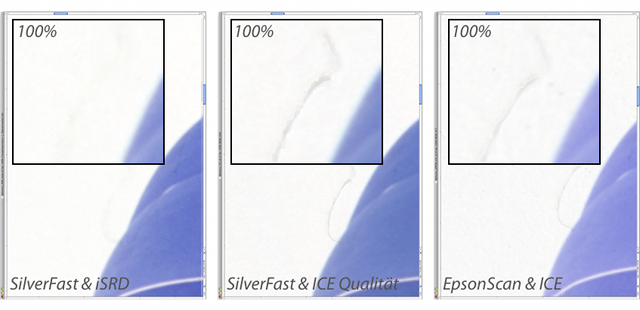
John Barclay has been recently asked by his sister, if he could suggest a solution for scanning a large quantity of family slides and negatives. He therefore tested the SilverFast Archive Suite with an Epson V700 and concluded:
"If you are looking for a simple, fast and efficient way to archive your precious family slides and negatives, I highly recommend SilverFast Archive Suite from LaserSoft Imaging."
For color accuracy John started with the calibration of his scanner using the automatic SilverFast IT8 calibration, because he doesn't like to spend a lot of time in Photoshop correcting his scans. For the second step John tested the Auto Frame Detection and the batch scan option for scanning multiple images at one time. "What a time saver!"
John strongly suggests scanning in 48bit HDR or even in 64bit HDRi format for capturing as much data as possible. Another SilverFast feature John thinks is worth noting is Multi-Exposure, that increases the captured number of shades of gray (details) and reduces noise. John was very pleased with the SilverFast iSRD dust and scratch eliminating functionality as "... a very powerful feature exclusive to SilverFast products." The NegaFix negative to positive converting feature has also left a favorable impression.
(Click to enlarge)
John Barclay