Webcams
Reviews about SilverFast
by Professionals
by Users
SilverFast in Action
Online Reviews
International Print Media
in the IT-Enquirer
Reviews by Vincent Oliver (photo-i)
PDF Archive
Articles in IT-Enquirer
Calibrating Any Monitor With basICColor Display 4.x
SilverFast DC Pro Studio 6.5: ColorServer Hot Folder Speeds Up Image Processing
When and Why To Apply Multi-Exposure in SilverFast Ai Studio 6.5
SilverFast Ai Studio 6.5: Multi-Exposure Brings Out The Details
Removing Dust and Scratches with SilverFast SRD
SilverFast 6 Ai Review
Fitting SilverFast Ai Studio in a DTP workflow
Calibrating your digital camera with SilverFast DC Pro
Using SilverFast to Correct Scanned Photographs
Color Management for Scanned Images
SilverFast DC Pro Studio: A Better Aperture for Photoshop Users
SilverFast DC Pro Studio vs. Aperture
SilverFast Noise reduction with GANE
SilverFast Global Colour Correction Tutorial
SilverFast for the Heidelberg Topaz, NexScan, and Tango1
SilverFast supports Heidelberg High-End Scanners
How to Create Contrast-rich Grayscale Images from Color Originals
SilverFast Job Manager Batch Scanning
SilverFast's Multi-Sampling breathes new Life into Scanners!
SilverFast scanning software for Heidelberg
SilverFast Plug and Play CMYK
SilverFast 6.x PrinTao: Casual DTP Delight
Why do you need SilverFast PrinTao?
Profiling a scanner with SilverFast
Scanning directly to print with PrinTao
Selective Colour Correction with SilverFast
SilverFast GANE でのノイズ低減方法
SilverFast にはいくつかのスキャナー固有のノイズ類を取り除くためのノイズ&粒子低減アルゴリズムが付属します。 GANE (グレイン&ノイズ・エリミネーション)は粒子&ノイズ除去を表します。

GANE の適用は簡単です: クリーンなスキャンと、プリスキャン画像に標準の全調整を実行し、最後に GANE を動作させます。 フィルターオプション下のスキャンコントロール画面から GANE を操作します。
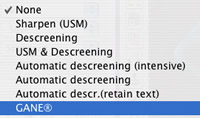
GANE 画面が開いたら、GANE 強度の決定に使いたい画像の部分をクリックする事ができます。コントロール画面はズームファクターを設定可能です。良好な設定の結果を見るためには、このファクターを2倍以上に設定すると良いでしょう。

GANE デフォルト設定は簡単設定です。: Low から high に設定するだけです。 画面には Expert ボタンもあり、クリックすると GANE 効果の (強度)、 threshold(しきい値) 、radius(半径) 設定を行う事ができます。これらは アンシャープマスクコントロールと類似していますが、結果はまったく正反対です。

intensity(強度)設定は、スムージング発生量をコントロールします。 threshold(しきい値)設定は画像のどの部分に影響させるかをコントロールし、 radius(半径)は影響するエリアのサイズです。

GANE はイメージを若干ソフトにしますので、 GANE 適用後、アンシャープマスキングをかけたくなるかもしれません。

GANE は、Studio DC Pro 版を含む、たくさんの SilverFast 版で利用できます。
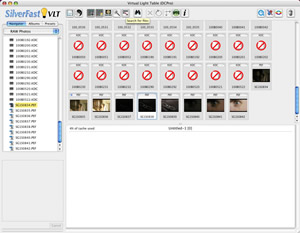

(Source: IT-Enquirer)
Bookmark: add to Google Bookmark add to newsgator add to digg add to Netscape Bookmark del.icio.us Bookmark MISTER WONG Bookmark yigg.de Bookmark Slashdot
Home | Company | Contact | Associates | Sitemap | Impressum | Awards | Linkpartners | International | Flight