日本語 [言語選択]
 English
 Deutsch
 Français
 Italiano
 日本語
日本語 Español
 Português
 Russian
 Chinese (Simp.)
 チェコ語
チェコ語 Polish (Store only)
SilverFast Expert ModeFor SilverFast Ai Studio & HDR Studio |
||||


|
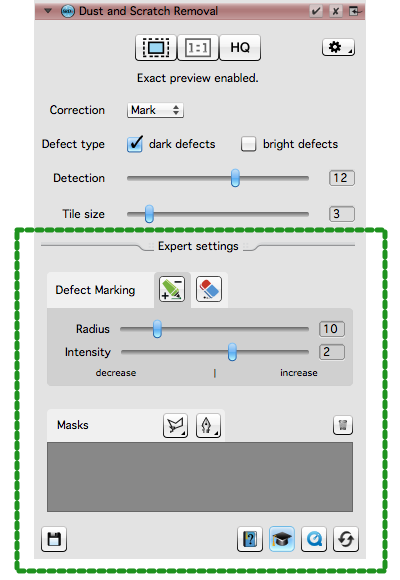
The user interface of SilverFast is based on a dual concept. Easy-to-use and frequently-used settings are instantly available, while expert settings of the Studio editions, which are needed not that often or require a basic understanding, are placed in a separate area.
SilverFast offers a suitable tool for many requirements. This variety of tools and settings could overwhelm inexperienced users at first. The Expert Mode, which almost every tool in the Studio editions has, lets you open the extra functionality when needed, e.g. when an image requires extra fine-tuning, or if you feel confident in using the basic features of that tool. The expert settings can be expanded or collapsed by clicking on the doctor's hat. The button can be found in the lower right corner of the respective tool dialog. Some of the expert settings contain powerful features that take the tool to a whole new level. We hope you enjoy trying out and becoming acquainted with the Expert Mode. Advantages of the Expert Mode
|
|||
|
|